Restaurant Instagram Post Maker
The Restaurant Instagram Post Maker turns a single photo of your real dish into a polished, on-brand Instagram post or story — sized correctly, styled for the feed, and ready to publish in minutes.
Built inside FoodPhoto.ai Studio (marketing mode): upload a real dish photo, pick a preset, and the AI does the styling. Start in FoodPhoto.ai Studio, browse every preset on the Marketing Studio hub, or compare plans on pricing.
Preset previews
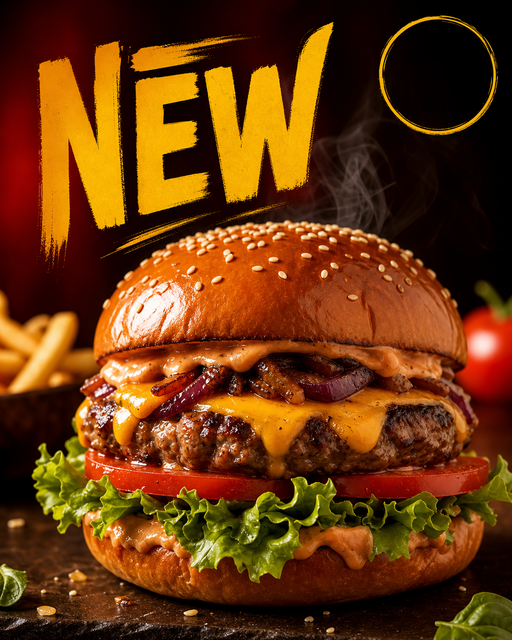
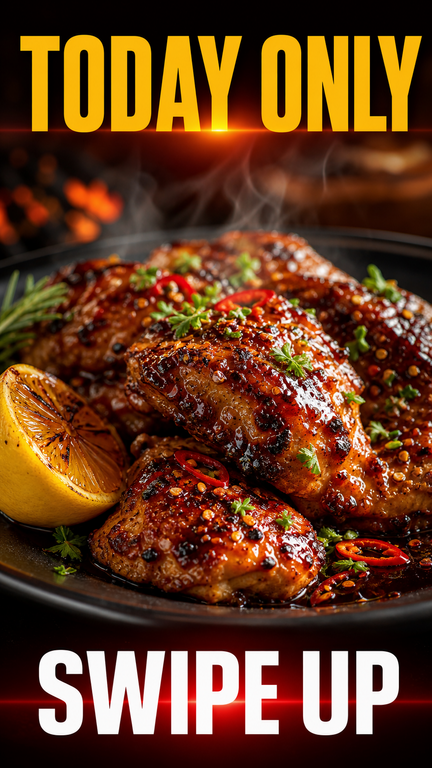
These are real FoodPhoto.ai marketing presets. Each one starts from your photo and restyles it for the use case below.
What this maker creates
- It starts from your real dish photo (a phone shot is fine), then restyles the lighting, color, and crop for the Instagram feed and adds clean space for a headline.
- The square ig_post preset outputs a 1:1 feed image; the ig_story preset outputs a 9:16 vertical story with safe areas top and bottom for stickers and captions.
- Because the dish is never replaced, the food a follower sees matches the plate you actually serve — important for trust and for repeat orders.
When restaurants use it
- Daily or weekly feed posts featuring a signature dish, new item, or seasonal plate.
- Story sequences for a one-day special, event, or 'order now' push with a swipe-up or link sticker.
- Filling a content calendar fast when you have great food but no photographer and no time to stage a shoot.
Restaurants and cafes that need a steady stream of Instagram content but can't run a full photo shoot for every post. Instead of a generic stock template, you start from the actual dish, so every post is unique to your menu.
How to make it in the Studio
- Open FoodPhoto.ai Studio and upload a clear photo of your real dish or drink.
- Switch to the marketing presets and select the preset shown above.
- Generate a few options and keep the one that still matches what you serve.
- Add your headline, price, or date in the open space, then export for the channel you need.
The presets are included with paid credits: Starter is $15/mo for 50 credits, and the one-time Menu Test Pack is $10 for 10 credits. One credit makes one finished image.
Related makers
- Restaurant Social Media Post Maker
- TikTok & Reels Cover Maker for Restaurants
- Food Special & Limited-Time Offer Graphic Maker
- All marketing makers (hub)
- Food photography styles
Frequently asked questions
How do I make a restaurant Instagram post from a photo?
Upload a clear photo of your real dish in FoodPhoto.ai Studio, switch to the marketing presets, choose the Instagram Post or Story preset, and the AI restyles your photo into a feed-ready or story-ready image with space for a headline. Export and post.
What size are the Instagram posts?
The Instagram Post preset is square (1:1) for the feed, and the Story preset is vertical 9:16 with safe areas top and bottom so your text and stickers are not cut off.
Does it replace my food with stock photos?
No. The maker starts from your own dish photo and improves lighting, color, and composition. The food stays the dish you actually serve.
How much does it cost?
FoodPhoto.ai is paid. Starter is $15/mo for 50 credits, or a one-time Menu Test Pack is $10 for 10 credits. Each credit makes one finished image.
Make your Restaurant Instagram Post graphic
Open FoodPhoto.ai Studio, upload a real photo, and apply the preset. Start with the Menu Test Pack to try it on a few items before committing to a plan.