

 Photo by Lena Ti via Pexels
Black Background Food Photography
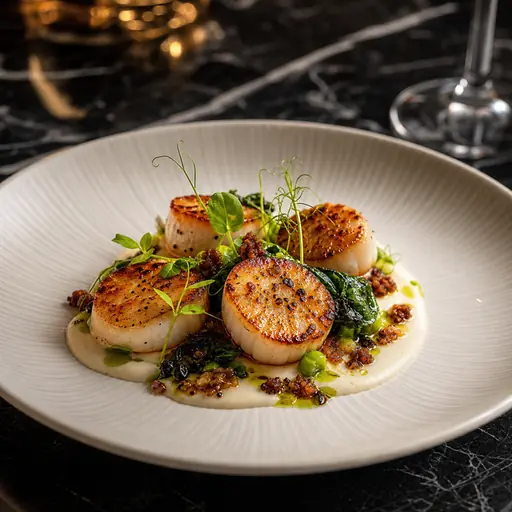
Black-background food photography drops everything except the dish into shadow. The plate floats on a near-black surface, a single light rakes across the food, and the eye has nowhere else to go. It is the most contrast-forward look in restaurant photography, which is exactly why it cuts through a crowded delivery grid.
What defines the black-background look
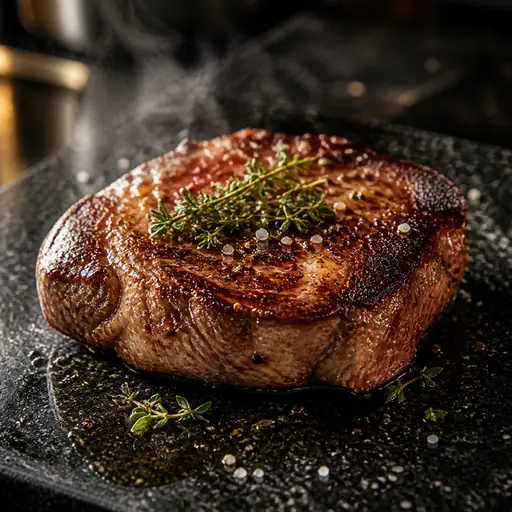
Three things make it work: a genuinely dark, non-reflective ground (matte black marble, slate or granite rather than glossy black acrylic); a tight, directional key light that keeps highlights on the food and lets the edges fall off into black; and warm, saturated food colour that reads as the only bright object in the frame. Get those right and a single burger, a glass of wine or a slab of cheesecake looks gallery-grade.
When to use it
Menus and printed boards: black backgrounds are the classic steakhouse / fine-dining choice — they signal premium without a word of copy. Delivery apps: on Uber Eats, DoorDash and Deliveroo thumbnails the high contrast makes your tile the brightest object on a white-grey results page, which is what drives the tap. Social: dark frames stop the scroll on Instagram and are ideal for desserts, cocktails and grilled/charred dishes.
Where it does NOT help
Skip pure black for light, delicate dishes (salads, sushi, pastries, breakfast) where the mood fights the food, and for brands whose identity is bright and casual. For those, see studio white or bright & airy.
How black food photos perform on delivery apps
Delivery marketplaces render every dish at the same small size against a pale UI. Contrast is the single biggest driver of which thumbnail the eye lands on first. A dark frame with a brightly-lit dish gives you maximum contrast against that pale background — far more than another beige plate on a beige table. Pair the look with the correct export size from our delivery photo requirements guide and the tile stays crisp at thumbnail scale.
How to get it in the Studio
You do not need a black studio or a strobe. Photograph the dish on any surface in even light, upload it, and choose the dark-ground preset. FoodPhoto.ai re-grounds the dish on a believable black surface, adds the single-key drama, and deepens the shadows — without altering the food itself. One credit, one photo, a few seconds.