Restaurant Menu Promo Maker
The Restaurant Menu Promo Maker turns a real dish photo into a clean menu-promo or new-item announcement graphic — perfect for launching a new dish across delivery apps, social, and in-store screens.
Built inside FoodPhoto.ai Studio (marketing mode): upload a real dish photo, pick a preset, and the AI does the styling. Start in FoodPhoto.ai Studio, browse every preset on the Marketing Studio hub, or compare plans on pricing.
Preset previews
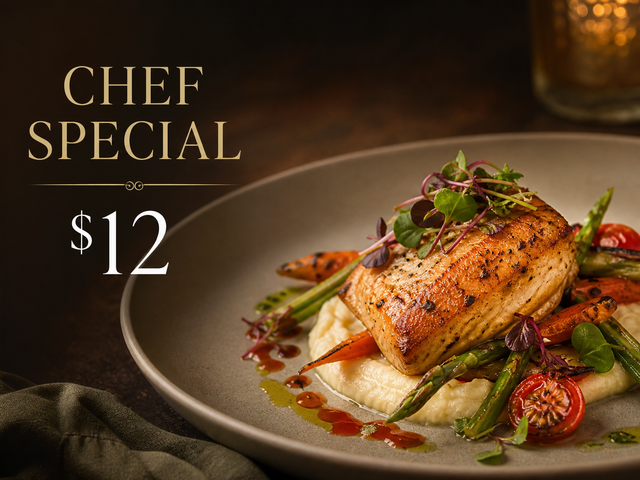
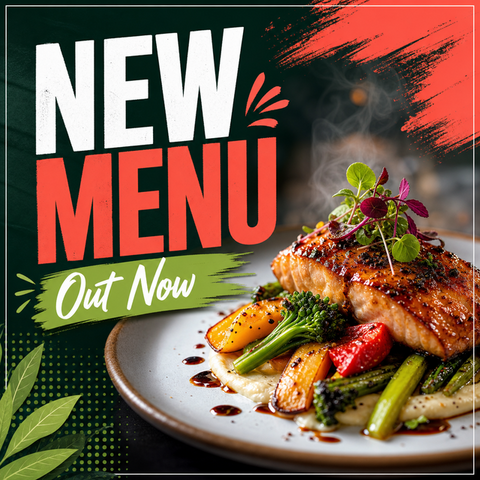
These are real FoodPhoto.ai marketing presets. Each one starts from your photo and restyles it for the use case below.
What this maker creates
- Upload the real plate, pick the menu_promo preset for a featured-item layout or new_menu for a launch announcement, and the AI builds an appetizing promo with room for the dish name, a short line, and a price.
- The styling keeps the dish honest — same portion, same plating — while making it read clearly at thumbnail size on a phone.
- One source photo can produce several promo variations, so a new dish gets a consistent look everywhere it appears.
When restaurants use it
- Launching a new menu item or a refreshed seasonal menu.
- Highlighting a high-margin or signature dish you want to push this week.
- Announcing menu changes to email, social, and delivery-app banners with one consistent graphic.
Restaurant owners and managers rolling out new dishes who want a professional 'new on the menu' graphic without hiring a designer. GSC shows real demand around menu photos and menu promos — this page maps that intent to a real maker.
How to make it in the Studio
- Open FoodPhoto.ai Studio and upload a clear photo of your real dish or drink.
- Switch to the marketing presets and select the preset shown above.
- Generate a few options and keep the one that still matches what you serve.
- Add your headline, price, or date in the open space, then export for the channel you need.
The presets are included with paid credits: Starter is $15/mo for 50 credits, and the one-time Menu Test Pack is $10 for 10 credits. One credit makes one finished image.
Related makers
- Restaurant Social Media Post Maker
- Food Special & Limited-Time Offer Graphic Maker
- Delivery App Promo Maker (DoorDash & Uber Eats)
- All marketing makers (hub)
- Food photography styles
Frequently asked questions
How do I make a menu promo graphic?
Upload a photo of the real dish in FoodPhoto.ai Studio, open the marketing presets, choose Menu Promo or New Menu, and the AI creates a promo image with space for the item name and price. Export for delivery apps, social, or screens.
Can I announce a whole new menu?
Yes. Use the New Menu preset for a launch-style announcement, then reuse the same dish photos with other presets to keep the campaign consistent.
Is the dish accurate?
Yes — the maker starts from your real plate and keeps the food faithful, so the promo matches what guests receive.
What does it cost?
Starter is $15/mo for 50 credits; a one-time Menu Test Pack is $10 for 10 credits. One credit makes one image.
Make your Restaurant Menu Promo graphic
Open FoodPhoto.ai Studio, upload a real photo, and apply the preset. Start with the Menu Test Pack to try it on a few items before committing to a plan.