Delivery App Promo Maker (DoorDash & Uber Eats)
The Delivery App Promo Maker turns a real dish photo into bright, mobile-readable promo tiles and free-delivery banners built for DoorDash, Uber Eats, and other delivery marketplaces.
Built inside FoodPhoto.ai Studio (marketing mode): upload a real dish photo, pick a preset, and the AI does the styling. Start in FoodPhoto.ai Studio, browse every preset on the Marketing Studio hub, or compare plans on pricing.
Preset previews
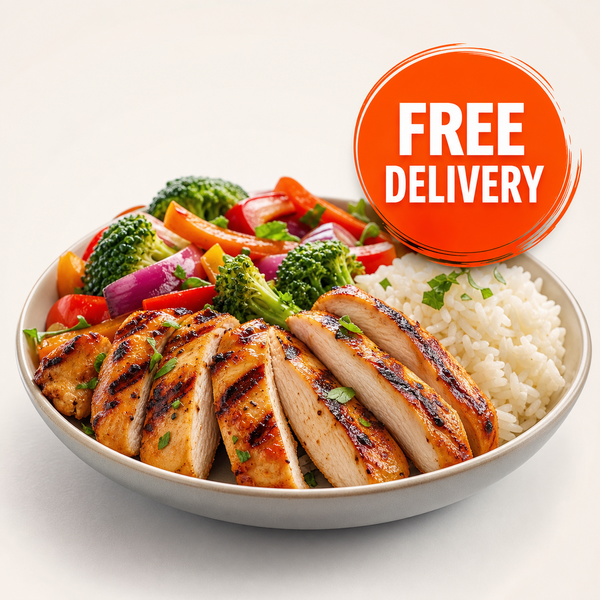
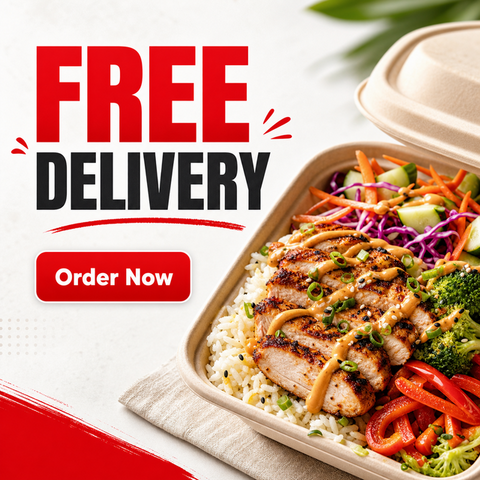
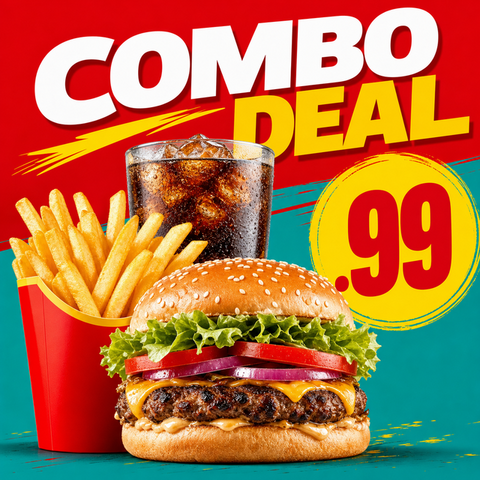
These are real FoodPhoto.ai marketing presets. Each one starts from your photo and restyles it for the use case below.
What this maker creates
- Upload the real meal and choose delivery_promo for a centered promo tile, free_delivery for a wide offer banner, or combo_deal for a value-bundle tile with room for a price badge.
- Compositions are designed to read at small thumbnail sizes, which is exactly how customers browse delivery apps on a phone.
- The food stays accurate so the promo matches the order, reducing the 'looked different in the app' problem.
When restaurants use it
- Running a DoorDash or Uber Eats storefront banner, percent-off, or free-delivery push.
- Promoting a combo or bundle to raise average order value.
- Refreshing tired marketplace creative that isn't converting at thumbnail size.
Restaurants selling on DoorDash, Uber Eats, Grubhub, Deliveroo, and similar apps who need promo creative tuned for small screens. GSC shows demand for delivery-app photo optimization (DoorDash/Uber Eats) — this maker addresses it directly.
How to make it in the Studio
- Open FoodPhoto.ai Studio and upload a clear photo of your real dish or drink.
- Switch to the marketing presets and select the preset shown above.
- Generate a few options and keep the one that still matches what you serve.
- Add your headline, price, or date in the open space, then export for the channel you need.
The presets are included with paid credits: Starter is $15/mo for 50 credits, and the one-time Menu Test Pack is $10 for 10 credits. One credit makes one finished image.
Related makers
- BOGO & Combo Deal Graphic Maker
- Food Special & Limited-Time Offer Graphic Maker
- Restaurant Menu Promo Maker
- All marketing makers (hub)
- Food photography styles
Frequently asked questions
How do I make a DoorDash or Uber Eats promo image?
Upload a photo of the real dish in FoodPhoto.ai Studio, open the marketing presets, and choose Delivery Promo, Free Delivery, or Combo Deal. The AI builds a mobile-readable promo tile or banner. Export and upload to your storefront.
Will it look good at thumbnail size?
Yes. The delivery presets use bright, centered compositions designed to stay clear and appetizing at the small sizes delivery apps display.
Does the food stay accurate?
Yes. The maker starts from your real plate, so the promo matches the meal the customer receives.
How much does it cost?
Starter is $15/mo for 50 credits; the one-time Menu Test Pack is $10 for 10 credits. One credit makes one image.
Make your Delivery App Promo graphic
Open FoodPhoto.ai Studio, upload a real photo, and apply the preset. Start with the Menu Test Pack to try it on a few items before committing to a plan.