BOGO & Combo Deal Graphic Maker
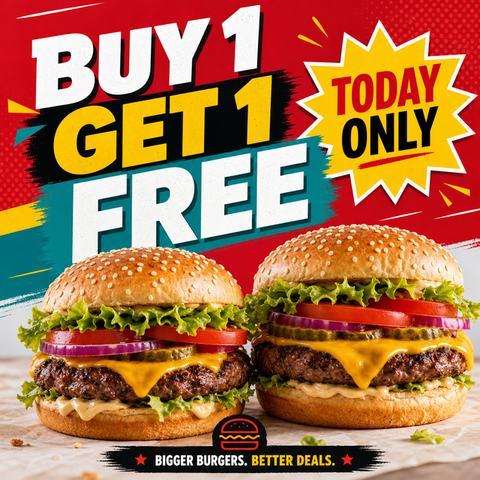
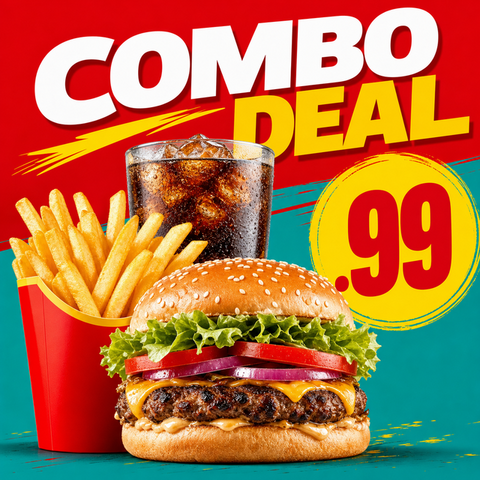
The BOGO & Combo Deal Graphic Maker turns a real food photo into bold buy-one-get-one and combo-bundle graphics — with room for a price badge — built to raise order value.
Built inside FoodPhoto.ai Studio (marketing mode): upload a real dish photo, pick a preset, and the AI does the styling. Start in FoodPhoto.ai Studio, browse every preset on the Marketing Studio hub, or compare plans on pricing.
Preset previews
These are real FoodPhoto.ai marketing presets. Each one starts from your photo and restyles it for the use case below.
What this maker creates
- Use bogo_offer for a buy-one-get-one promo or combo_deal for a value bundle of a meal, sides, and a drink, each with space for a price badge.
- The food is styled boldly but stays real, so the deal matches the order.
- Bright, centered compositions read well as delivery-app tiles and social posts alike.
When restaurants use it
- Pushing a BOGO offer to drive trial and repeat orders.
- Bundling items into a combo to lift average order value.
- Promoting value deals on delivery apps and social during slow periods.
Quick-service and fast-casual restaurants running value promotions who need bold deal graphics with price badges. High commercial intent: 'BOGO', 'combo deal', value bundles.
How to make it in the Studio
- Open FoodPhoto.ai Studio and upload a clear photo of your real dish or drink.
- Switch to the marketing presets and select the preset shown above.
- Generate a few options and keep the one that still matches what you serve.
- Add your headline, price, or date in the open space, then export for the channel you need.
The presets are included with paid credits: Starter is $15/mo for 50 credits, and the one-time Menu Test Pack is $10 for 10 credits. One credit makes one finished image.
Related makers
- Delivery App Promo Maker (DoorDash & Uber Eats)
- Food Special & Limited-Time Offer Graphic Maker
- Restaurant Menu Promo Maker
- All marketing makers (hub)
- Food photography styles
Frequently asked questions
How do I make a BOGO or combo deal graphic?
Upload a real food photo in FoodPhoto.ai Studio, open the marketing presets, choose BOGO or Combo Deal, and the AI builds a bold offer graphic with space for a price badge. Add your text and export.
Can I add a price?
Yes. Both presets leave a clear area for a price badge or offer text that you finalize before exporting.
Do these work on delivery apps?
Yes. The bright, centered layouts are designed to stay clear at the thumbnail sizes delivery apps use, and they also work as social posts.
What's the cost?
Starter is $15/mo for 50 credits; the one-time Menu Test Pack is $10 for 10 credits. One credit makes one image.
Make your BOGO & Combo Deal Graphic graphic
Open FoodPhoto.ai Studio, upload a real photo, and apply the preset. Start with the Menu Test Pack to try it on a few items before committing to a plan.