TikTok Shop Food Photography AI
Pure-white main shots, lifestyle secondaries, and 1:1 crops that hit TikTok's Good-tier listing bar — from phone photos, no studio, no rebooking.
TikTok Shop image requirements, handled automatically
TikTok Shop grades every listing Poor, Fair, or Good. Image quality is the single biggest lever. FoodPhoto.ai bakes the spec into every export.
Minimum resolution
800 × 800 px
Aspect ratio
1:1 square
Main image background
Pure white
Max file size
5 MB (JPEG / PNG)
How it works
- 1
Shoot the product on your phone
One top-down and one angled shot of each SKU — that's all the raw material we need.
- 2
Pick the TikTok Shop preset
Generates a compliant 1:1 pure-white main shot plus up to 8 lifestyle variants per SKU.
- 3
Export and upload to Seller Center
JPEG under 5 MB, sRGB, 800×800+ — drop straight into your TikTok Shop listing.
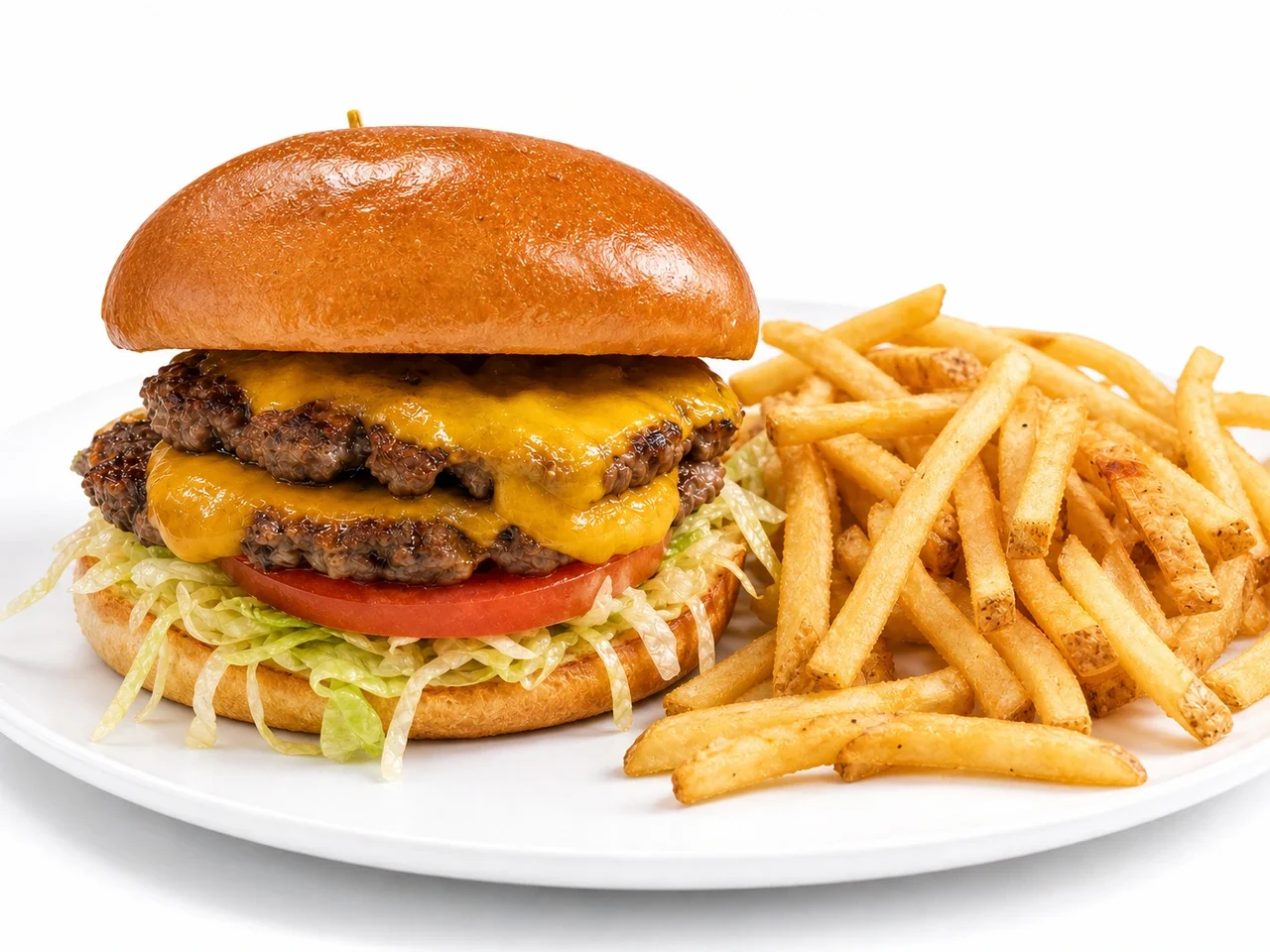
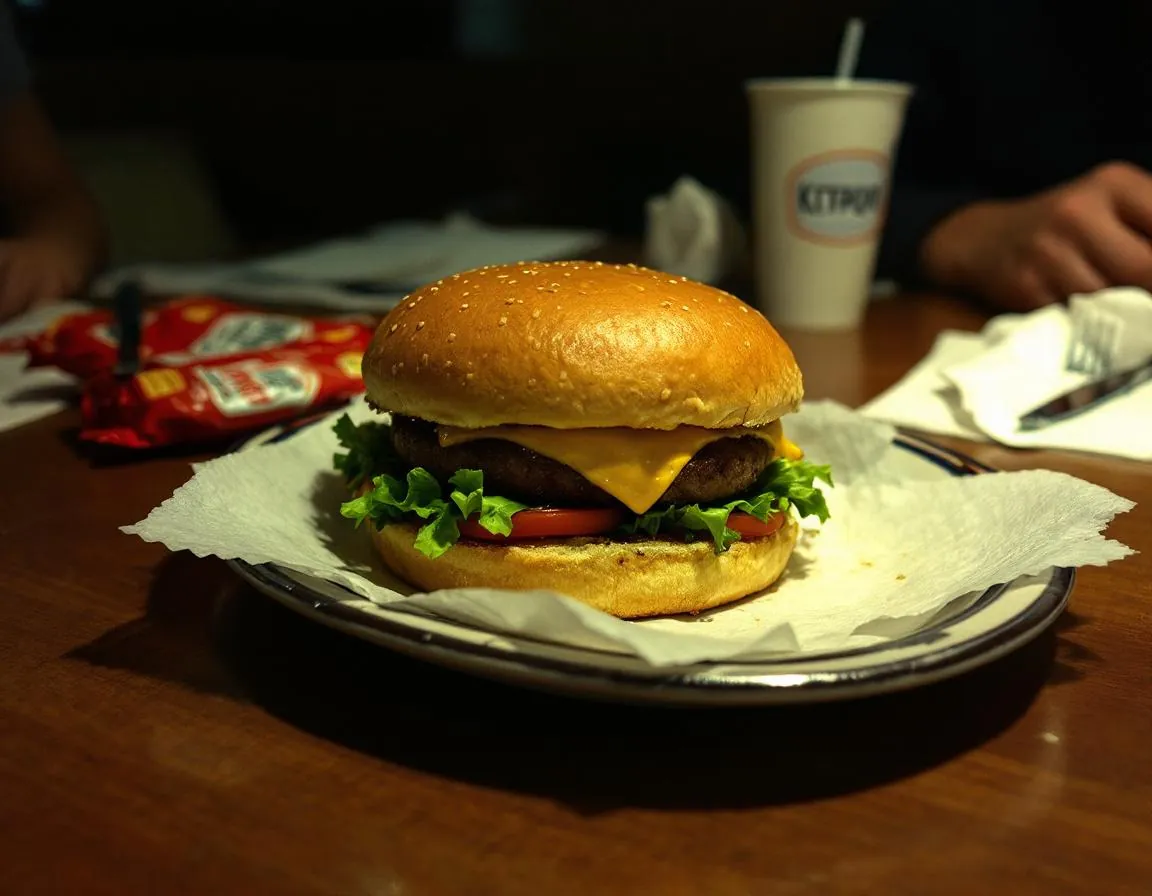
Drag to compare. Exports 1:1 with a pure-white background for the main image.
Pricing vs a human photographer
A typical TikTok Shop food seller lists 20–60 SKUs and refreshes 5–10 every month for seasonal pushes. Here is the math.
| Option | Cost for 40 SKUs | Turnaround | Monthly refreshes |
|---|---|---|---|
| Studio food photographer | $2,000–$6,000 | 1–3 weeks | Reshoot fees each time |
| Fiverr / freelance | $25–$75 per SKU → $1,000–$3,000 | 3–7 days per batch | Style drift across freelancers |
| FoodPhoto.ai | $4.99/mo Starter (20 credits) | Under 60 seconds per image | Included via credits + top-ups |
Photographer rates sourced from Professional Photographers of America, Thumbtack, and Fiverr commercial averages. See the menu photo cost calculator for your city.
Examples: the TikTok Shop treatment
Every SKU gets one clean main image and up to eight lifestyle secondaries. The algorithm rewards variety, so we generate hero, overhead, hand-in-frame, and texture close-ups.
Uneven light, busy counter, wrong crop.
1:1, pure white, product fills 80% of frame, under 5 MB.
Why this matters on TikTok Shop
TikTok Shop is thumbnail-first in a way even DoorDash isn't. The For You feed, product cards, and affiliate placements all surface a single square image. If that image is dark, off-center, or cluttered, it gets scrolled past before the caption loads. TikTok itself sorts listings into Poor, Fair, and Good tiers — and the Good tier is where algorithmic distribution actually happens.
For food sellers, the bar is specific. Your main product image must have a pure white background, no text, no watermark, and the product filling at least 80% of the frame. Then you get up to nine slots total, and TikTok wants the secondary slots to be lifestyle: the snack on a desk, the sauce next to a taco, the drink in a hand. That split is hard to nail with a phone camera in a real kitchen. You end up with either all white-background studio shots (boring, poor secondary engagement) or all lifestyle (disqualified for main).
FoodPhoto.ai splits the job. One upload produces the compliant white-background hero plus lifestyle variants — hand-in-frame, flat-lay with props, close-up texture shots — that satisfy both rules at once. The lighting stays natural, the color stays warm, and the crop stays 1:1. We do not alter ingredients, portion size, or packaging artwork, because TikTok Shop penalizes listings that misrepresent products, and we want your listing to stay live.
The operational win is even bigger for multi-SKU sellers. A snack brand with 40 flavors used to book a studio day every quarter and budget $3,000–$6,000. Now the same refresh is a Sunday afternoon: shoot new flavors on the counter with window light, run them through the TikTok Shop preset, and push the exports straight into Seller Center. A $2.99 Try Pack gets you 5 credits to start, and monthly plans bring the per-image cost down to pennies, so the cost of keeping the catalog visually current drops into the noise.
One caveat worth naming: TikTok's AI content policy is stricter in the health and supplements categories, including functional foods. If you sell protein bars, weight-loss snacks, or gut-health drinks, do not use AI-generated "experts" or medical-looking imagery. Stick to enhanced product photography of the real SKU. FoodPhoto.ai is built for exactly that lane — the actual dish, cleaned up and delivered on spec.
FAQ
Does TikTok Shop allow AI-enhanced food photos?
Yes. TikTok Shop explicitly permits AI to edit photos for lighting, color, noise, and background, as long as you do not misrepresent the product. FoodPhoto.ai stays inside that line — we clean up your actual dish, we do not invent ingredients.
What TikTok Shop image spec should I target?
Main image: 800×800 px minimum, 1:1 square, pure white background, product filling ~80% of the frame, no text or watermarks. Supporting images (up to 9) can be lifestyle shots. FoodPhoto.ai exports both crops in one pass.
Will AI-enhanced photos hurt my listing tier?
TikTok grades listings Poor / Fair / Good. The tier is driven by image quality, not whether AI was used. Clean white-background mains plus lifestyle secondaries tend to push listings into the Good tier, which improves visibility.
Do I need to disclose that AI was used?
If AI significantly generates or alters the product appearance, disclose it. Lighting cleanup, background replacement, and color correction of a real dish photo do not typically trigger a disclosure. Review TikTok Shop content policy for your category.
How fast can I shoot an entire snack or sauce catalog?
Batch 20 items in roughly 10 minutes. Upload phone photos, pick the TikTok Shop preset (1:1, white background), and download the full set plus lifestyle variants in one export.
Plans from $4.99/mo (20 credits)
Ship a TikTok Shop-ready catalog this afternoon. No studio day, no freelancer handoffs.