Food Photography Lighting for Restaurants: One Setup That Works
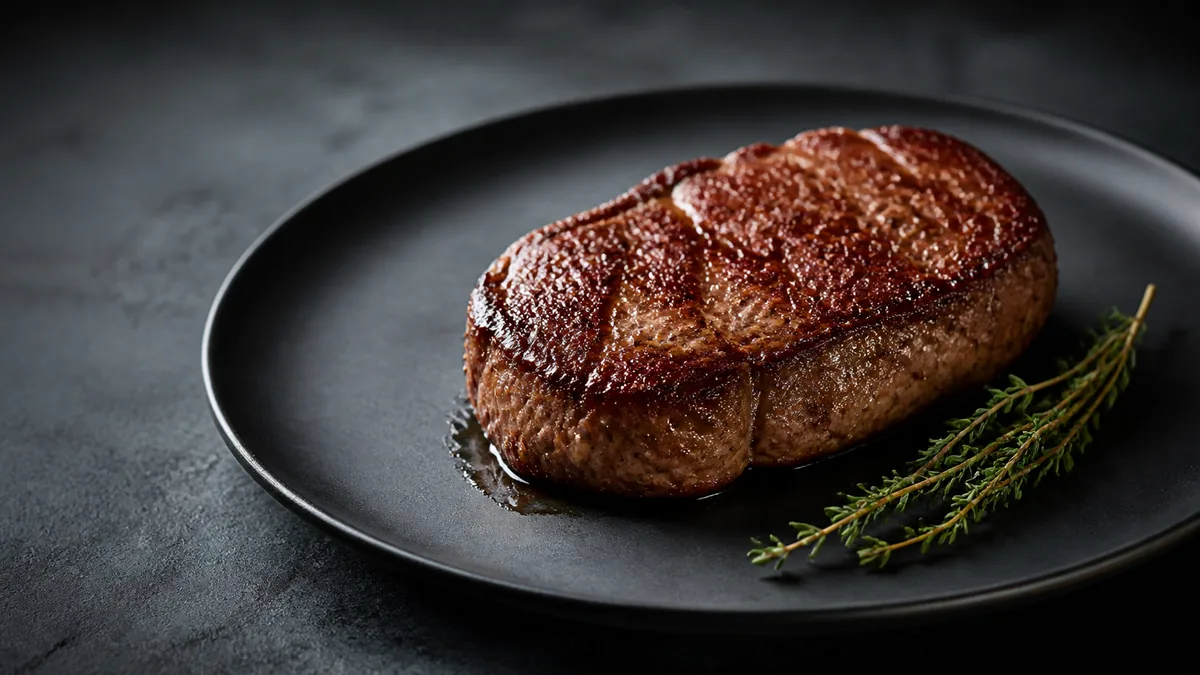
Lighting is the single biggest reason a menu photo looks like a professional shot or a phone snapshot. Get food photography lighting right and almost everything else falls into place — color looks accurate, texture reads, and the dish looks fresh enough to order. The good news for restaurants is that you do not need a studio or a lighting kit. You need one repeatable setup, and this guide is that setup.
Here is the whole thing in three lines: use side window light as your main light, add a white reflector to soften the shadows, and avoid mixed lighting because it ruins color. Everything below is the detail that makes those three rules work in a real kitchen.
The "window plus foam board" method
This is the only setup most restaurants ever need. It mimics the soft, directional light a studio pays thousands to create, using a window you already have.
- Place the dish near a window with indirect light. Direct, hard sun creates harsh shadows; soft daylight is ideal. North-facing windows give the most even light, but any window works if the sun is not blasting straight through it.
- Position the light to the side, not behind. Side light reveals texture — the crisp edge of a crust, the gloss on a sauce, the layers in a burger. Backlight tends to leave the front of the dish dark and flat.
- Put a white foam board opposite the window. This bounces light back into the shadow side so shadows stay soft instead of going black. A piece of white poster board or foam core costs a few dollars and is the most important "lighting tool" you will buy.
- Rotate the plate until the food looks dimensional, not flat. Small rotations change where highlights and shadows land — keep turning until the dish looks its best.
That is the core setup. The same window and board handle plated mains, bowls, drinks, and desserts. For the full capture process around it, our iPhone food photography workflow walks through angles, distance, and shot lists, and the budget backdrops guide covers the matte surfaces that pair best with this light.
Why side light beats overhead light
Overhead restaurant lighting is built for diners, not cameras. It comes from straight above, flattens food, and often carries a strong color cast. Side light does the opposite: it skims across the surface of the dish and creates the gentle gradient from highlight to shadow that makes food look three-dimensional and appetizing.
The practical rule: the light should come from roughly 45° to 90° to the side of the dish. Start with the window at your left or right, shoot, and adjust. If the food looks flat, the light is probably too frontal or too overhead.
Fixing the three most common lighting problems
Almost every bad menu photo traces back to one of these. Here is how to fix each on the spot.
Yellow or orange food
The culprit is mixed lighting — warm overhead bulbs blending with cool daylight. Turn off the overhead kitchen lights and rely on window light alone. If you cannot, move to a spot where only one light type reaches the dish. Then lock white balance manually so it stays consistent across the whole menu instead of shifting shot to shot. Color accuracy is a trust signal: greens should look fresh, reds edible, and whites actually white.
Harsh shadows
If shadows are dark and hard-edged, your light is too small or too far from being diffused. Move the foam board closer to bounce more fill into the shadow side, or diffuse the window with a sheer curtain to enlarge and soften the source. Bigger, softer light equals softer shadows — without erasing the texture that makes food look real.
Glare on soups, glazes, and sauces
Shiny dishes reflect your light source as a bright hotspot. Because glare is a reflection, you fix it by changing angles: raise the camera slightly and rotate the dish until the bright reflection slides off the food. A diffused light also turns a hard hotspot into a soft, appetizing sheen. This matters most for soups, ramen broth, glossy sauces, and glazed desserts.
A simple lighting checklist
Before you shoot a dish, confirm:
- Light is coming from the side, not overhead or behind.
- The window light is soft (indirect or diffused), not hard sun.
- A white reflector is filling the shadow side.
- Overhead lights are off so there is no color cast.
- White balance is locked, not auto.
- The dish is rotated so highlights and shadows look dimensional.
Six checks, and your lighting is already better than most restaurant menus.
Lighting by dish type
The window-and-board setup is universal, but a few small adjustments help specific dishes look their best:
- Burgers, stacks, and layered dishes: shoot slightly lower than 45° so the height reads, and keep the side light strong to catch the texture of the bun and the gloss of melted cheese.
- Bowls, salads, and soups: lean toward top-down so the contents are visible, and watch for glare on broth or dressing — a small angle change usually clears it.
- Drinks and cocktails: backlight or side-back light makes glass and ice glow; a dark background behind a bright glass adds drama and definition.
- Desserts and pastries: soft side light shows flakiness and crumb; avoid hard light, which makes sugar and glaze look harsh rather than tempting.
- Fried food: strong side light reveals the crispy, golden texture that sells it; flat or frontal light makes it look pale and soft.
You do not need a different rig for any of these — just rotate the dish or shift your angle relative to the same window and reflector.
Color temperature and white balance
Two photos can be perfectly exposed and still look wrong because the color temperature is off. Warm overhead bulbs push food orange; cool LED panels push it blue. Daylight sits in the middle and reads most natural to the eye, which is why window light is the easiest starting point.
The discipline that keeps a whole menu consistent is locking white balance instead of letting the camera re-guess on every shot. When white balance drifts, one dish looks warm and the next looks cold, and the menu reads as several different sessions even if you shot it all in an hour. Set it once for your lighting and leave it.
When the base photo is good but the light is imperfect
Real kitchens are not studios. Sometimes the best window is in the wrong place, or you only have a few minutes between services. If your base photo is mostly sharp and well-framed but the lighting is uneven or slightly off-color, you do not have to reshoot. AI relighting can correct uneven lighting, balance color, and lift muddy shadows without changing the food itself — honest enhancement of a real dish, not a fabricated image.
That is the pragmatic workflow for a busy operation: shoot the cleanest input you can with the window-and-board setup, then enhance to even out what the room would not let you control. Keep one high-resolution master per dish and export the crops you need for delivery apps, your website, and social.
Put it to work
Great lighting plus a clean enhancement step is how a phone photo becomes a menu-ready image. You can test the enhancement on your own dishes with a one-time $10 Menu Test Pack (10 credits), and plans start at $15/month (50 credits) with credits that roll over — see the pricing page. To see the difference lighting correction makes, drop a real photo into the Menu Test Pack and compare it to your original.
Frequently asked questions
What is the best lighting setup for food photography?
Soft, directional side light is the best all-purpose setup. Place the dish near a window so the light comes from the side, then add a white reflector or foam board on the opposite side to soften shadows. This single window-plus-reflector method works for almost every menu item and needs no studio gear.
Why does my food look yellow in photos?
A yellow cast almost always comes from overhead kitchen lights mixing with daylight. Turn off the overhead lights and rely on window light, or shoot in a spot with only one type of light. Locking white balance manually instead of letting the camera guess also keeps whites neutral across the whole menu.
How do I get rid of harsh shadows in food photos?
Move your white reflector closer to the dish to bounce more light into the shadow side, or diffuse the window with a sheer curtain to soften the light source. Larger, softer light and closer fill both reduce harsh shadow edges without flattening the food's texture.
How do I avoid glare on soups, sauces, and glazes?
Raise the camera angle slightly and rotate the dish until the bright reflection moves off the food. Glare is a reflection of your light source, so changing the angle between the light, the dish, and the lens removes it. A diffused, softer light also produces a gentler, more appetizing sheen instead of a hard hotspot.
Create consistent menu photos with FoodPhoto.ai
Related guides
Ready to upgrade your menu photos? Open the FoodPhoto.ai studio or see plans and pricing.