After Google's 2026 Core Updates, Why Menu Photo Quality May Affect How Restaurants Show Up in Search
Google does not confirm photos as a direct ranking factor, but in 2026 high-quality menu photos appear to correlate with stronger local visibility. Learn how to optimize your Google Business Profile photos, structured data, and AI Overviews.
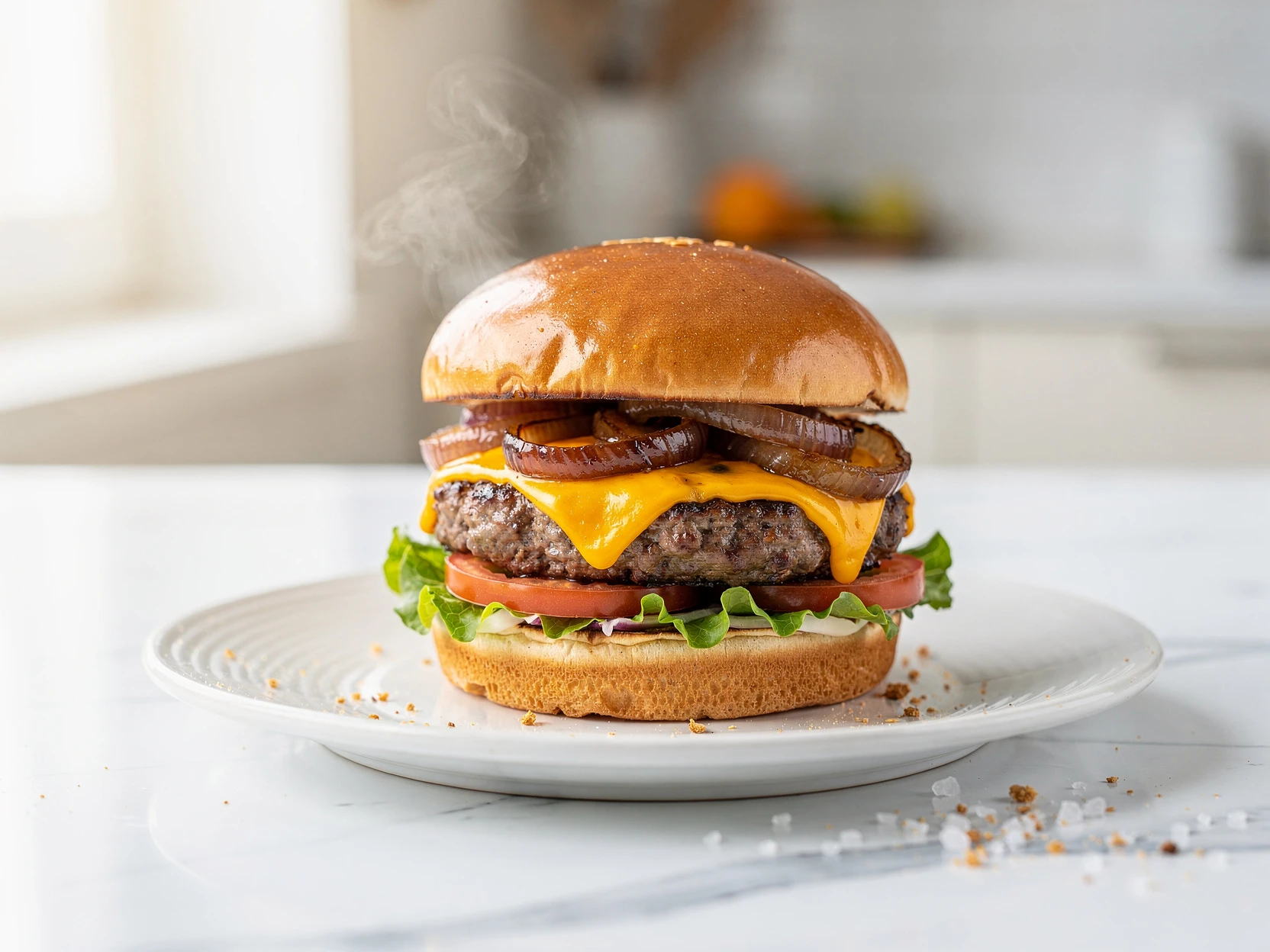
After Google’s 2026 Core Updates, Why Menu Photo Quality May Affect How Restaurants Show Up in Search
A note on sourcing: Google does not publicly confirm that photos are a direct ranking factor. The observations below are our read on how 2026 core updates and well-established engagement signals appear to interact for restaurants — they are an informed opinion, not an official Google statement.
Through 2026, Google has continued shipping core updates. Most SEO commentary focused on the usual suspects: thin AI-generated content getting penalized, E-E-A-T requirements getting stricter, and another round of volatility in the SERPs.
But there is a practical shift that matters to restaurants more than almost any other business category: visual content quality appears to correlate strongly with local search visibility. Google does not confirm photos as a direct ranking factor, but the engagement signals they influence — clicks, calls, direction requests — are well established.
If you run a restaurant, a dark kitchen, a ghost kitchen, or a food truck, this post breaks down what appears to be changing, why your menu photos likely influence whether customers find you, and what to do about it this week.
What Actually Changed in February 2026
Google’s 2026 core updates appear to reinforce three areas:
- Locally relevant content gets boosted. Google rewards businesses that demonstrate real, current activity in their area.
- E-E-A-T signals moved from "nice to have" to "requirement." Experience and authenticity markers carry more weight.
- Visual engagement signals appear to feed back into visibility. Profiles with fresh, high-quality photos tend to see better engagement, and engagement is a well-established input to local visibility.
That third point is the one most restaurant owners miss. To be clear: Google does not confirm photo quality as a direct ranking factor — but the downstream engagement it drives is something Google has long rewarded.
Google has been quietly building its Vision AI capabilities for years. In 2026, that technology actively scans the content of your Google Business Profile photos to understand what your business offers, how current it is, and how trustworthy it appears.
A restaurant that uploads a clear, well-lit photo of a grilled salmon dish is now more likely to appear for "grilled salmon dinner near me" -- even without those exact words in the listing text. Google reads your images.
This is not speculation. Businesses that regularly upload fresh photos are seeing measurably higher impressions. Businesses that have not posted a photo in 30+ days are reporting drops. The "decay rate" of visibility is faster than ever.
The Numbers That Should Get Your Attention
Before diving into tactics, here is why this matters financially:
| Metric | Statistic | |--------|-----------| | Photo impact on clicks | Businesses with photos get 35% more website clicks and 42% more direction requests | | Engagement threshold | Profiles with 10+ photos receive 2x more engagement (calls, messages, clicks) | | Mobile dominance | 78% of restaurant website traffic comes from mobile devices | | Near-me conversion | 76% of "near me" mobile searches lead to a store visit within 24 hours | | Local search growth | Hyperlocal "near me" searches have grown 900% in the last two years | | Restaurant CTR | Top-performing restaurants on Google Business Profile achieve CTRs above 20% |
The takeaway: if you are invisible in local search, you are invisible to 78% of potential customers. And your photos are now one of the levers that determines visibility.
How Google Business Profile Photos Affect Your Ranking
Let’s be specific about the mechanism. Google does not just count how many photos you have. It evaluates:
1. Photo Quality and Clarity
Blurry, dark, or poorly composed photos signal a neglected business. Google’s Vision AI can distinguish between a sharp, well-lit photo of a real dish and a grainy phone snapshot taken under fluorescent lighting. The former helps you rank. The latter hurts.
2. Photo Freshness
This is the biggest change in 2026. Google now applies a freshness decay to your photo portfolio. A business that uploaded 20 great photos in 2024 and then stopped is losing ground to a competitor that uploads 2-3 new photos every week.
The recommended cadence: upload new photos at least twice per week. At minimum, once per month.
3. Photo Relevance
Google categorizes your photos into types: food, interior, exterior, team, menu. Profiles that have photos in multiple categories rank better because they answer more of the questions customers are asking.
A profile with 15 food photos but zero interior shots is leaving ranking signals on the table.
4. Photo Authenticity
Over-edited, stock-looking, or obviously fake photos now trigger trust penalties. Google wants real photos of your real food. The photos should look professional, but they need to look believable.
AI Overviews: The New Battlefield for Restaurant Photos
Here is the shift most restaurant owners have not processed yet.
When someone searches "best Italian restaurant near me" or "where to get ramen downtown," Google increasingly answers with an AI Overview -- a generated summary that appears above the traditional results.
These AI Overviews pull images directly from Google Business Profiles. And here is what matters: Google selects the most visually compelling, relevant, and high-quality image to feature alongside its recommendation.
If your competitor’s pasta photo is sharp, well-lit, and properly categorized, it gets featured. Your listing might not even appear.
AI Overviews are not replacing local search. They are filtering it. The restaurants with the best visual assets get surfaced first. Everyone else gets pushed down.
Your Google Business Profile is now more important than your website for AI-driven search. A restaurant with a perfect website but weak GBP photos will still lose in AI Overviews.
The 10-Point Photo Optimization Playbook
Here is exactly what to do. Prioritize these in order.
1. Upload At Least 10 High-Quality Food Photos
This is the minimum threshold where engagement doubles. If you have fewer than 10, your profile is underperforming by default.
Each photo should feature:
- One clearly identifiable dish (not a table full of blurry plates)
- Natural or warm lighting (no harsh flash, no blue overhead tint)
- Clean background (wipe the table, remove clutter)
- HD resolution (at least 1024px on the longest side)
2. Name Your Files Properly
Google reads filenames. This is free SEO that 90% of restaurants ignore.
| Bad Filename | Good Filename | |--------------|---------------| | IMG_4532.jpg | grilled-salmon-dinner-[restaurant-name].jpg | | photo-1.png | margherita-pizza-wood-fired-[restaurant-name].jpg | | DSC00421.jpg | chocolate-lava-cake-dessert-[restaurant-name].jpg |
Use lowercase, hyphens between words, include the dish name, and optionally your restaurant name.
3. Categorize Every Photo Correctly
When uploading to Google Business Profile, assign each photo to the right category:
- Food and drink -- your dishes, cocktails, beverages
- Interior -- dining room, bar area, private rooms
- Exterior -- storefront, patio, signage
- Team -- chefs, staff (builds trust)
- Menu -- photos of your physical menu
Google uses these categories to match your listing to different types of searches. A customer searching "restaurant with patio near me" will only find you if you have exterior photos properly categorized.
4. Refresh Photos Quarterly (Minimum)
Seasonal menus change. Specials rotate. Your dining room gets updated. If your newest photo is from 2024, Google’s freshness algorithm is quietly penalizing you.
Set a calendar reminder: first week of every quarter, upload 5-10 new photos. Better yet, make it a weekly habit.
5. Prioritize Your Cover Photo
Your cover photo is the single image that appears in the local pack, Maps results, and AI Overviews. It is the most important photo in your entire online presence.
Choose a photo that:
- Shows your signature dish or most popular item
- Is bright, sharp, and appetizing
- Works well as a thumbnail (simple composition, not too busy)
- Represents your restaurant’s identity
6. Add Schema.org Structured Data for Menu Items
This is the advanced move. Adding structured data to your website helps Google understand your menu programmatically -- and connect your menu items to your photos.
Here is a simplified example:
{
  "@context": "https://schema.org",
  "@type": "Restaurant",
  "name": "Your Restaurant",
  "hasMenu": {
    "@type": "Menu",
    "hasMenuSection": {
      "@type": "MenuSection",
      "name": "Main Courses",
      "hasMenuItem": {
        "@type": "MenuItem",
        "name": "Grilled Atlantic Salmon",
        "description": "Pan-seared salmon with roasted vegetables and lemon butter sauce",
        "image": "https://yoursite.com/images/grilled-salmon.jpg",
        "offers": {
          "@type": "Offer",
          "price": "24.00",
          "priceCurrency": "USD"
        }
      }
    }
  }
}
When Google crawls your site and finds structured menu data with images, it creates a stronger connection between your web presence and your GBP listing. This is especially powerful for AI Overviews, which pull from multiple structured sources.
7. Optimize for Mobile-First Display
78% of restaurant searches happen on mobile. Your photos need to look great at small sizes.
Practical rules:
- Simple compositions -- one dish, centered, minimal background clutter
- Warm color temperatures -- reds and oranges pop on mobile screens
- Landscape orientation preferred -- Google Maps and local pack results display landscape thumbnails
- Aspect ratio: 4:3 or 16:9 -- avoid square crops for GBP (they get awkwardly cropped in search results)
8. Remove Low-Quality Photos
This is counterintuitive. Many restaurants think "more photos = better." Not in 2026.
One blurry, dark, or unflattering photo can drag down your entire profile’s quality signal. Audit your GBP photos monthly. Remove anything that:
- Is blurry or out of focus
- Has harsh shadows or unnatural colors
- Shows empty plates, trash, or clutter
- Was uploaded by a customer and makes your food look bad (you can flag these)
9. Encourage Customer Photos (Strategically)
Customer-uploaded photos boost authenticity signals. Google gives weight to user-generated content because it validates your business claims.
To encourage quality customer photos:
- Add subtle signage: "Love your meal? Share a photo on Google!"
- Plate dishes photogenically (good plating = better customer photos)
- Respond to reviews that include photos (this increases the visibility of those reviews)
10. Track Your Photo Performance
Google Business Profile Insights shows you how your photos perform compared to competitors. Check monthly for:
- Photo views -- are your photos being seen?
- Photo quantity vs. competitors -- are you above or below average?
- Search queries -- which terms are driving impressions?
- Customer actions -- are photo views translating to calls, directions, or website clicks?
The Competitive Edge: What the Data Shows
Restaurants that optimize their GBP photos according to these principles see consistent results:
- 2-3x more clicks from local search compared to competitors with unoptimized profiles
- Higher placement in the local 3-pack (the three listings shown below the map)
- More frequent appearances in AI Overviews for food-specific queries
- Lower customer acquisition cost from organic search vs. paid ads
The math is simple. A restaurant that ranks in the local 3-pack with a compelling cover photo gets free, high-intent traffic every day. A restaurant that does not is paying for ads to compensate.
How FoodPhoto.ai Fits Into This Strategy
The hardest part of this entire playbook is not the SEO. It is producing enough high-quality photos consistently.
A professional food photography shoot costs $500-2,000 and gives you 15-30 images. That covers your initial upload but does nothing for the ongoing freshness that Google now demands.
This is where FoodPhoto.ai becomes a practical tool:
- HD output up to 1344px -- exceeds Google’s recommended photo resolution for GBP
- Consistent quality across your entire menu -- every dish gets the same professional treatment
- Proper aspect ratios -- landscape, portrait, and square outputs optimized for different platforms
- Fast turnaround -- generate new photos in minutes, not weeks
- Cost-effective refresh cycles -- update your GBP photos quarterly without rebooking a photographer
Plans start at $4.99/month for the Starter plan (20 credits), or you can buy a $2.99 Try Pack (5 credits). That is the cost of keeping your Google presence fresh indefinitely.
Your SEO Checklist: Do This Week
Use this checklist to audit and optimize your restaurant’s photo presence. Print it. Tape it to the wall. Do one item per day.
- [ ] Audit your GBP photos -- count them. If fewer than 10 food photos, that is priority one.
- [ ] Remove bad photos -- delete anything blurry, dark, or unflattering.
- [ ] Rename your photo files -- descriptive, keyword-rich filenames before uploading.
- [ ] Categorize every photo -- food, interior, exterior, team, menu.
- [ ] Set your cover photo -- your best, most representative dish in landscape format.
- [ ] Upload 3-5 new photos this week -- start the freshness cycle now.
- [ ] Check your website images -- are they HD, fast-loading, and properly named?
- [ ] Add Schema.org menu markup -- even a basic implementation helps.
- [ ] Set a monthly calendar reminder -- "Upload new GBP photos" on the first of every month.
- [ ] Review GBP Insights -- check photo views and compare to competitors.
The Bottom Line
Google’s February 2026 update did not announce "photos are now a ranking factor" in bold letters. That is not how Google operates. But the practical evidence is clear: restaurants with fresh, high-quality, properly optimized photos are winning more visibility, more clicks, and more customers in local search.
The restaurants that treat their photo presence as an ongoing SEO asset -- not a one-time task -- will compound their advantage every month. The ones that ignore it will keep wondering why their competitor down the street always shows up first.
Your food is already good. Make sure Google knows it.
Your menu deserves better photos
Try 5 photos for $2.99 or subscribe from $4.99/month (20 credits).
Plans from $4.99/mo → Plans from $4.99 → View pricing →
No commitment. Credits roll over. Cancel anytime.
Your menu deserves better photos
Try 5 photos for $2.99, or subscribe from $4.99/mo (20 credits). No free trial, credits roll over, cancel anytime.
View pricing