Skip to content
FoodPhoto.ai
How to Take Better Food Photos With Just Your Phone: The 2026 Restaurant Owner's Guide

How to Take Better Food Photos With Just Your Phone: The 2026 Restaurant Owner's Guide

F

FoodPhoto Team

Lead Content Strategist · · 16 min read

You don't need a DSLR or a professional photographer. This practical guide shows restaurant owners how to take scroll-stopping food photos with just a phone, plus how AI can take them even further.

Your food is already good. The problem is that your photos don't show it. In 2026, customers decide where to eat before they ever walk through your door. They scroll Instagram, swipe through Google Maps photos, and browse delivery apps. The first thing they judge is not your menu description or your star rating. It is your photos. And here is the reality most restaurant owners miss: you do not need a $3,000 camera or a hired photographer to take photos that convert. The phone in your pocket is more than capable. You just need to know how to use it. This guide covers everything you need to turn your smartphone into a reliable food photography tool. Every tip here is practical, tested, and designed for restaurant owners who are short on time and budget.


Table of Contents

Why Phone Food Photography Matters in 2026. Setting Up Your Phone for Success. Lighting: The Single Biggest Factor. Composition: How to Frame Your Dishes. Styling the Dish Before You Shoot. The 7 Most Common Mistakes (and How to Fix Them). Editing on Your Phone: Quick Wins That Make a Difference. How AI Tools Like FoodPhoto.ai Can Help. Building a Repeatable Workflow. Final Checklist.


Why Phone Food Photography Matters in 2026

The numbers are hard to ignore: 75% of diners check a restaurant's photos online before visiting (Restaurant Business Online, 2025 survey). Listings with high-quality photos get 2x more engagement on Google Maps and delivery platforms. Restaurants that post weekly visual content on social media see 30-40% more organic reach than those posting only text or reposts. Professional photo shoots are great, but they happen once or twice a year. Meanwhile, your menu changes, you add specials, seasonal ingredients arrive, and new dishes get created. You need a system to capture those moments quickly, and your phone is the fastest tool you have. The best part: modern smartphones (iPhone 15/16 series, Samsung Galaxy S24/S25, Google Pixel 9) have cameras that rival entry-level DSLRs in good conditions. The gap between "phone photo" and "professional photo" has never been smaller.


Setting Up Your Phone for Success

Before you take a single photo, spend five minutes configuring your phone for better results.

Camera settings to change right now

Resolution: Shoot at the highest resolution your phone supports. On iPhone, go to Settings > Camera > Formats and select "Most Compatible" (this saves as JPEG for easy sharing). On Android, check your camera app settings for resolution options. Grid lines: Turn on the grid overlay. This gives you a 3x3 grid on your screen that helps with composition (more on this below). On iPhone: Settings > Camera > Grid. On Android: Camera app > Settings > Grid lines. HDR: Keep HDR on "Auto" or "On." HDR helps balance bright highlights and dark shadows, which is common in restaurant environments. Flash: Turn it off. Always. Built-in flash creates harsh, unflattering light that makes food look pale and unappealing. We will cover better lighting options below. Lens choice: If your phone has multiple lenses, use the main (1x) lens for most shots. The ultra-wide lens distorts plates and makes food look odd. The telephoto lens (2x or 3x) can be useful for close-up detail shots of textures.

Accessories worth buying (under $50 total)

You do not need much, but these small investments make a noticeable difference: | Item | Approximate Cost | Why It Helps | |------|-----------------|--------------| | Mini tripod (e.g., Joby GorillaPod) | $15-25 | Eliminates camera shake, enables overhead shots | | Phone mount/clamp | $5-10 | Attaches phone to tripod securely | | Portable LED light panel | $15-30 | Adds soft, consistent light in dim restaurants | | White foam board (2 pieces) | $3-5 | Bounces light to fill shadows naturally | That is it. Under $50 and you have a setup that will outperform 90% of the phone photos your competitors are posting.


Lighting: The Single Biggest Factor

If you learn only one thing from this guide, let it be this: lighting makes or breaks a food photo. A perfectly styled dish in bad light will always look worse than a simple dish in great light.

Natural light is your best friend

The easiest and most reliable light source for food photography is a window. Here is how to use it: Find a window with indirect sunlight. Direct sunlight creates harsh shadows and blown-out highlights. Look for a window that gets bright, diffused light (north-facing windows are ideal, or any window on an overcast day). Place the dish near the window. Position your plate within 2-3 feet of the window. The closer to the window, the softer and more flattering the light. Shoot with the light to the side or behind the dish. Side light (light coming from the left or right of your frame) creates depth and texture. Backlight (light coming from behind the dish, toward you) creates a beautiful glow and highlights steam, liquids, and glossy surfaces. Avoid front light (light behind you, pointing at the dish) as it flattens everything. Use a white foam board as a reflector. Place it on the opposite side of the dish from the window. It bounces light back into the shadows and gives you a more balanced, professional look.

When natural light is not available

Many restaurants have dim interiors, or you need to shoot during evening service. Here is what to do: Use a portable LED panel. Set it to daylight color temperature (around 5000-5500K) and position it to the side of the dish, about 18 inches away. Angle it slightly downward. This mimics window light. Diffuse the LED. If the light looks too harsh, place a sheet of white paper or a thin white napkin between the light and the dish. This softens the light dramatically. Avoid overhead restaurant lights. The warm, yellow ceiling lights in most restaurants create unflattering color casts. If you cannot avoid them, you can correct the color temperature in editing later. Never use your phone's flash. It is worth repeating. The built-in flash is positioned right next to the lens, creating flat, harsh, direct light. It makes food look greasy and washed out.

The "two-light" setup for consistent results

If you want the most reliable results every time, use this simple setup: Place a portable LED panel to the left or right of the dish (main light). Place a white foam board on the opposite side (fill light / reflector). Shoot from a 30-45 degree angle above the dish. This takes 30 seconds to set up and produces consistent, repeatable results that look like they came from a professional shoot.


Composition: How to Frame Your Dishes

Composition is how you arrange elements within your photo. Good composition guides the viewer's eye to the food and makes the image feel intentional rather than accidental.

The Rule of Thirds

This is the most reliable composition technique and the reason we turned on grid lines earlier. Imagine your frame divided into a 3x3 grid (your phone already shows this). Place the main subject (the hero element of the dish) at one of the four points where the grid lines intersect, rather than dead center. Centering works for perfectly symmetrical dishes (like a round pizza or a bowl of soup shot from above), but for most dishes, off-center placement creates more visual interest.

Choose the right angle for each dish type

Not every dish looks best from the same angle. Here is a quick reference: | Dish Type | Best Angle | Why | |-----------|-----------|-----| | Flat dishes (pizza, open sandwiches, salads) | Overhead (90 degrees) | Shows the full surface and pattern | | Tall dishes (burgers, stacked pancakes, layered desserts) | 0-30 degrees (eye level to slightly above) | Shows height and layers | | Bowls (soups, ramen, poke bowls) | 30-45 degrees | Shows both the surface and the depth | | Drinks (cocktails, coffee) | 30-45 degrees or eye level | Shows the glass shape and liquid color | | Plated entrees (steak, pasta, fish) | 30-45 degrees | The most versatile and natural-feeling angle |

Create depth with layering

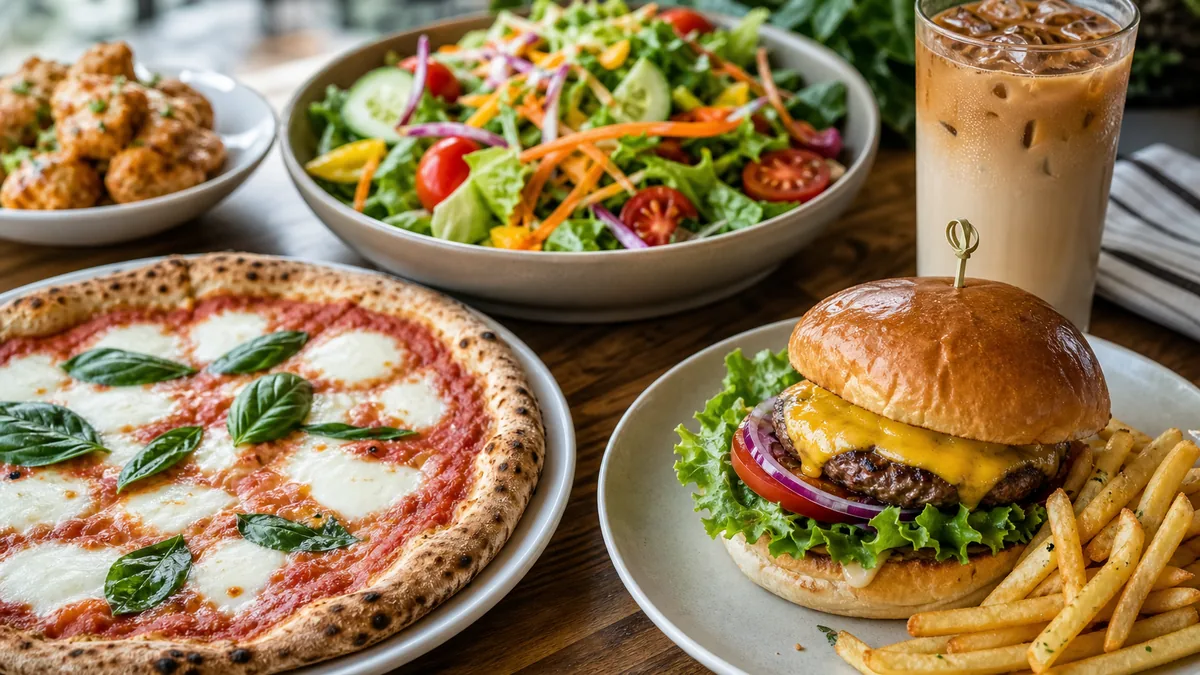
A photo with depth feels three-dimensional and draws the viewer in. You can create depth by: Placing items at different distances from the camera. Put the hero dish in the front-center and supporting elements (a drink, a side dish, utensils) slightly behind and to the side. Using a shallow depth of field. Most modern phones have a "Portrait" or "Food" mode that blurs the background. Use it to separate the main dish from the surroundings. Including leading lines. A napkin edge, a utensil handle, or the edge of a wooden board can lead the viewer's eye toward the food.

Negative space is not wasted space

Leaving empty space in your frame (especially above or to the side of the dish) gives the photo room to breathe. It also makes the image more usable: you can add text overlays for social media posts, or the delivery platform can crop it without cutting into the food.


Free Download: Complete Food Photography Checklist

Get our comprehensive 12-page guide with lighting setups, composition tips, equipment lists, and platform-specific requirements.

Get Free Guide

Styling the Dish Before You Shoot

The way you plate and style the dish before picking up your phone matters more than any filter you apply afterward.

Quick styling wins

Wipe the plate rim. A clean rim separates professionals from amateurs. Use a damp cloth or paper towel to remove any drips, smears, or fingerprints. Add garnishes last. Fresh herbs, microgreens, a drizzle of sauce, or a sprinkle of sesame seeds should go on right before you shoot. They wilt and settle quickly. Use odd numbers. Three shrimp look better than four. Five dumplings look better than six. Odd numbers create asymmetry, which the eye finds more interesting. Show texture. Crispy edges, grill marks, flaky pastry, melting cheese. Texture tells the viewer what the food will feel like to eat. Highlight it with your lighting angle. Add context sparingly. A hand reaching for a slice, a fork twirling pasta, or a glass of wine next to a plate adds life and scale. But do not clutter the frame. One or two contextual elements is enough.

Backgrounds that work

Wood surfaces (cutting boards, tables): warm and natural, great for rustic or casual dining. Marble or stone: clean and elegant, good for upscale dishes. Dark surfaces (slate, dark wood): make colorful food pop and feel dramatic. Plain white: clean and distraction-free, ideal for delivery platform photos where the focus should be entirely on the food. Avoid busy tablecloths, patterned plates, or cluttered backgrounds. The food should always be the star.


The 7 Most Common Mistakes (and How to Fix Them)

After reviewing thousands of restaurant food photos, these are the mistakes we see most often:

1. Shooting in bad light (and not realizing it)

The mistake: Taking photos under warm, dim restaurant lights or using the flash. The fix: Move the dish to a window, or use a portable LED panel. Even stepping outside for 30 seconds with the dish can produce dramatically better results.

2. Cluttered backgrounds

The mistake: Shooting the dish on a messy prep counter, with other plates, receipts, or kitchen equipment visible in the background. The fix: Clear the area. Move the dish to a clean surface. Even a plain cutting board placed on a cleared counter works.

3. Shooting from too far away

The mistake: Standing too far back so the dish is small in the frame with lots of empty, distracting space around it. The fix: Get closer. Fill at least 60-70% of the frame with the food. You want the viewer to feel like they could reach out and grab it.

4. Dirty plates and messy plating

The mistake: Drips on the rim, uneven portions, or sloppy sauce placement. The fix: Take 30 extra seconds to clean the plate and adjust the plating. This single habit will improve your photos more than any editing technique.

5. Using digital zoom

The mistake: Pinching to zoom in instead of physically moving the phone closer. The fix: Move your body and your phone closer to the subject. Digital zoom reduces image quality and introduces noise. If you need a closer shot, use the telephoto lens (2x or 3x) if your phone has one, which uses a separate optical lens.

6. Ignoring the background color temperature

The mistake: The food looks great, but the background has a strong yellow or orange tint from restaurant lighting. The fix: Correct white balance in your camera app before shooting (tap the screen and look for a WB or color temperature option), or fix it in editing afterward.

7. Only taking one shot

The mistake: Snapping a single photo and moving on. The fix: Take 10-15 shots of each dish. Vary the angle slightly, adjust the styling, try different crops. Having options means you can pick the best one later rather than settling for the only one.


Editing on Your Phone: Quick Wins That Make a Difference

You do not need Photoshop. The built-in editing tools on your phone, or free apps like Snapseed or Lightroom Mobile, are more than enough. Here is a quick editing workflow that takes less than 2 minutes per photo:

Step 1: Crop and straighten

Crop out any distracting elements at the edges. Make sure the plate or surface is level (not tilted). Use the straighten tool if needed.

Step 2: Adjust exposure and brightness

If the photo is too dark (common in restaurant settings), increase the exposure or brightness slightly. Be careful not to overdo it. The food should look naturally lit, not blown out.

Step 3: Increase contrast slightly

A small bump in contrast (around +10 to +20) makes colors more vivid and separates the food from the background. Too much contrast makes the photo look harsh.

Step 4: Adjust white balance

If the photo has a yellow or orange tint, shift the white balance toward the cooler/blue end. You want the whites to look white, not yellow. This is especially important if you shot under warm restaurant lighting.

Step 5: Boost saturation carefully

A slight increase in saturation (+5 to +15) makes colors more appealing. Red tomatoes, green herbs, and golden crusts all benefit. But be careful: over-saturated food looks artificial and unappetizing. If the colors look like a cartoon, you have gone too far.

Step 6: Sharpen

Apply a small amount of sharpening to bring out textures like grill marks, breadcrumbs, or herb leaves. Most editing apps have a "Sharpen" or "Structure" slider. Keep it subtle.

What NOT to do when editing

Do not use heavy filters. Instagram-style vintage filters (heavy vignettes, faded blacks, extreme color shifts) make food look old and unappetizing. Do not over-smooth. Some beauty-style edits smooth textures, which removes the visual cues that make food look delicious. Do not change the color of the food. If your chicken is golden brown, it should still look golden brown after editing. If editing turns it neon orange, pull back.


How AI Tools Like FoodPhoto.ai Can Help

Even with great phone photography skills, there are situations where you need something more: You only have a quick snapshot from a busy service, not a styled photo. You want to test how a new dish might look before you finalize the plating. You need consistent, professional-grade menu images across dozens of dishes and you do not have time to style and shoot each one individually. You want to remove a cluttered background or place a dish on a cleaner surface. This is where AI-powered food photography tools come in. FoodPhoto.ai lets you transform simple food photos into professional-quality menu images. Upload a photo of your dish, and the AI enhances it: cleaning up backgrounds, improving lighting, adjusting composition, and producing results that look like they came from a professional shoot.

When to use phone photography vs. AI enhancement

| Scenario | Best Approach | |----------|---------------| | Daily social media posts | Phone photography with good lighting | | Menu board and printed menu | AI-enhanced photos for consistency | | Delivery platform listings | AI-enhanced for clean backgrounds and uniform style | | Behind-the-scenes content | Phone photography (authenticity matters) | | Seasonal specials (quick turnaround) | Phone photo + AI enhancement | | Full menu overhaul | AI-generated from reference photos | The smartest approach is not choosing one or the other. It is combining both. Use your phone to capture the dish, then use FoodPhoto.ai to polish it to a professional standard. This gives you speed, consistency, and quality without the cost of repeated professional shoots.


Building a Repeatable Workflow

The best food photography system is one you actually use. Here is a simple weekly workflow that takes about 2 hours total:

Monday: Plan (15 minutes)

Identify 3-5 dishes to photograph this week (new items, specials, bestsellers that need better photos). Check which delivery platform listings need updated images. Note any social media posts you want to schedule.

Tuesday or Wednesday: Shoot (45-60 minutes)

Set up your lighting station (window + foam board, or LED panel + foam board). Plate and style each dish. Take 10-15 shots of each dish from multiple angles. Review on your phone screen immediately and reshoot if needed.

Wednesday or Thursday: Edit and Enhance (30-45 minutes)

Select the best 1-2 photos of each dish. Run through the editing workflow (crop, exposure, contrast, white balance, saturation, sharpen). For menu and delivery platform photos, run them through FoodPhoto.ai for professional enhancement.

Friday: Publish (15 minutes)

Upload to your delivery platforms (check image requirements for each platform). Schedule social media posts for the week. Update your website menu gallery if needed. This workflow gives you 3-5 fresh, high-quality food photos every week. Over a month, that is 12-20 new images. Over a quarter, you will have refreshed your entire visual presence.


Final Checklist

Before you post any food photo, run through this quick checklist: [ ] Lighting is soft and directional (side or back light, no flash). [ ] Plate is clean (no drips, smears, or fingerprints on the rim). [ ] Composition uses the Rule of Thirds or intentional centering. [ ] Background is clean and uncluttered. [ ] Food fills 60-70% of the frame. [ ] Photo is sharp and in focus (especially the front of the dish). [ ] Colors look natural (not over-saturated or tinted yellow). [ ] Image is cropped and straightened. [ ] Resolution is high enough for the intended platform. [ ] The photo makes you want to eat the dish. That last point is the one that matters most. If you look at the photo and your honest reaction is "that looks delicious," you are ready to post.


The Bottom Line

Great food photography is not about expensive equipment. It is about understanding light, taking a moment to style the dish, and knowing a few simple composition techniques. Your phone can do the job. You just need to give it the right conditions. Start with lighting. That single change will improve your photos more than anything else. Then work on composition and styling. Add a simple editing routine. And when you need to go from good to great, or when you need consistency across your entire menu, let AI tools like FoodPhoto.ai handle the heavy lifting. Your food deserves to look as good online as it tastes in person. Now you have the tools and knowledge to make that happen.


Your menu deserves better photos

Try 10 photos for $3 or monthly plans from $5 (20 credits). Try 10 photos for $3 → Plans from $3 → View pricing → No commitment. Credits roll over. Cancel anytime.

Want More Tips Like These?

Download our free Restaurant Food Photography Checklist with detailed guides on lighting, composition, styling, and platform optimization.

Download Free Checklist

12-page PDF guide • 100% free • No spam

Share this article

Related Articles

Food Photography Costs in 2026: From $7,500 Per Session to $0.10 Per Image — Every Option Ranked

Food Photography Costs in 2026: From $7,500 Per Session to $0.10 Per Image — Every Option Ranked

A data-driven breakdown of every food photography option in 2026 — from $7,500 professional sessions to $0.10 AI-enhanced images — with cost-per-photo tables, ROI calculations, and guidance on which option fits your budget and business type.

Read more
Restaurant Menu Photos Without a Photographer

Restaurant Menu Photos Without a Photographer

Create a weekly workflow to take stunning menu photos without a photographer, and showcase your dishes on social media and food delivery platforms.

Read more
Image SEO for Restaurants (2026): How to Rank and Convert With Menu Photos

Image SEO for Restaurants (2026): How to Rank and Convert With Menu Photos

In 2026, images don’t just “decorate” your site. They influence clicks, trust, and conversion across search, Maps, and delivery. Here’s a practical image SEO system.

Read more

Your phone. Your food. Done.

Turn phone photos into menu-ready exports in under a minute.

How to Take Better Food Photos With Just Your Phone: The 2026 Restaurant Owner's Guide - FoodPhoto.ai Blog