

 Photo by Cihan Yüce via Pexels
Business type food photography
Full-Service Restaurant Food Photography - AI Menu Photos & Workflow (2026)
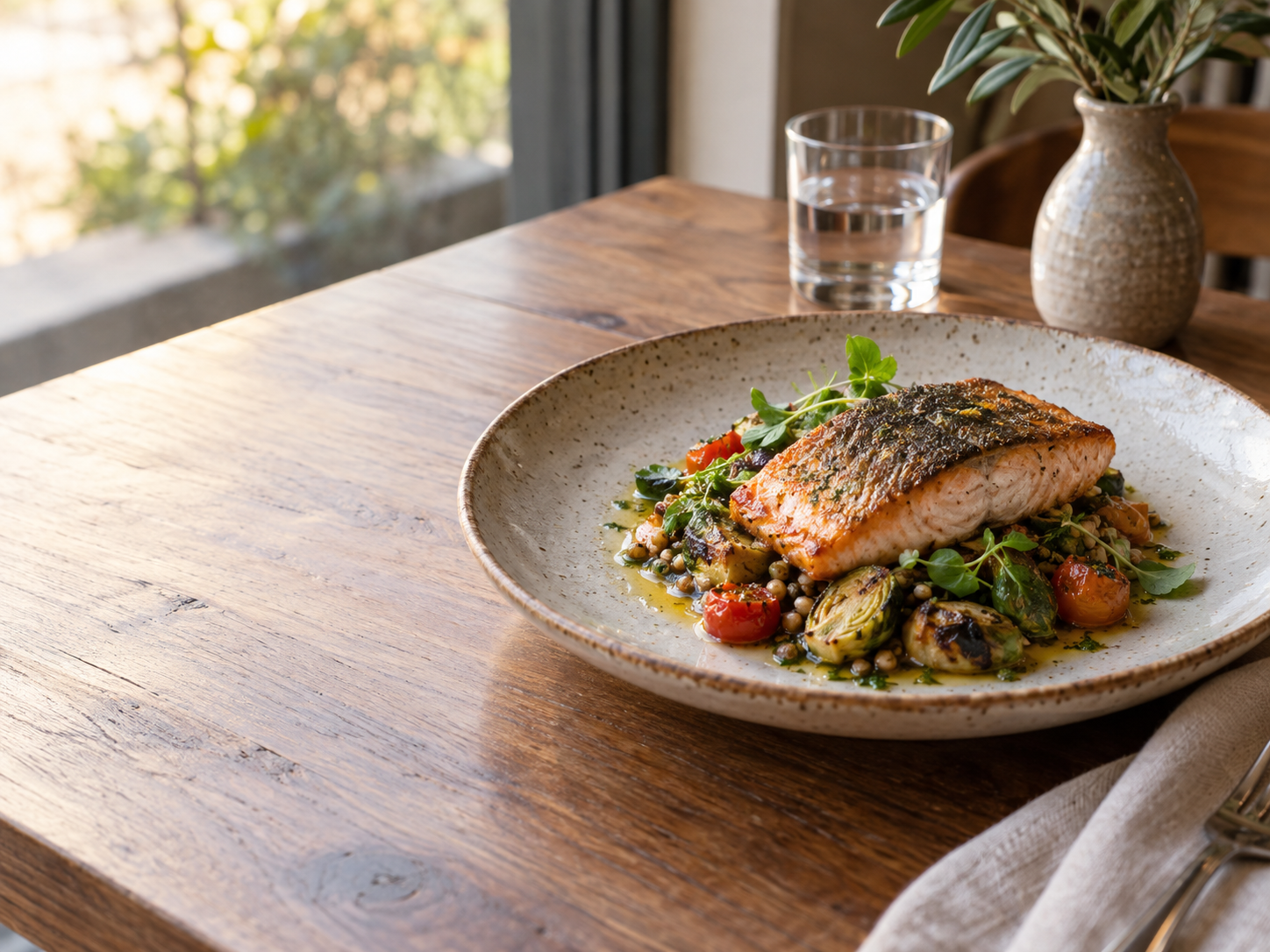
Food photography for full-service restaurant: Traditional sit-down restaurants requiring comprehensive menu photography for dine-in, takeout, and delivery platforms. FoodPhoto.ai enhances real dish photos with AI - lighting, color, background, and crop - without changing the food, ingredients, or portion.
Restaurant format
Full-Service Restaurant
Typical menu size
45 items
Photo refresh cadence
Quarterly
Recommended presets
4
Quick answer
Full-Service Restaurant need consistent, honest food photos for menus, delivery apps, Google Business Profile, social, and ads. Use FoodPhoto.ai to enhance real dish photos, apply presets like Studio Pro, Menu Hero, Doordash, and refresh images quarterly.
Food photography for Full-Service Restaurant
Traditional sit-down restaurants requiring comprehensive menu photography for dine-in, takeout, and delivery platforms.
Full-Service Restaurant operators need photos that make the dish clear at menu size, believable in a delivery-app thumbnail, and consistent across every place customers compare the brand. FoodPhoto.ai is designed for that production rhythm: real dish photo in, polished menu image out, with no invented ingredients or fake portions.
What Full-Service Restaurant need from menu photos
Professional hero shots for signature dishes, consistent styling across full menu, seasonal updates, marketing materials, and delivery app optimization.
- Cover the highest-margin and most frequently ordered items first across the 45-item menu.
- Use one consistent crop system so website, delivery, and social images feel like the same brand.
- Keep photos honest to the served dish; better lighting and cleaner backgrounds should not change portions.
- Refresh images quarterly and whenever the item, garnish, packaging, or promotion changes.
Recommended AI presets
These FoodPhoto.ai presets are tuned to full-service restaurant photography. Each preset improves lighting, color, crop, background, and presentation while preserving the real food.
- Studio Pro
- Menu Hero
- Doordash
- Uber Eats
Menu size and refresh cadence
A typical full-service restaurant menu has about 45 items. That does not mean every image must be rebuilt in one sitting: start with hero dishes, bundles, and ordering-platform thumbnails, then complete the rest of the menu as part of a repeatable quarterly refresh cycle.
FoodPhoto.ai uses paid credits for production work. This keeps photo production predictable without booking a studio shoot for every seasonal change. FoodPhoto begins with two previews on your own dish, with a verified account and no card. Free previews are significantly slower than paid plans and are prepared in a separate queue: about 30–35 seconds in normal conditions, and longer when the service is busy or the edit is complex. Keep the chat open and do not repeat the request while it processes. See the current plans and usage estimates for photos, menus and campaigns.
Workflow for Full-Service Restaurant
- Photograph the real full-service restaurant dish in normal service conditions.
- Upload the image to FoodPhoto.ai and enhance lighting, crop, background, sharpness, and color.
- Apply presets such as Studio Pro, Menu Hero, Doordash to keep the visual style consistent.
- Export separate versions for the website menu, delivery apps, Google Business Profile, social, and ads.
- Repeat quarterly or whenever the recipe, garnish, or portion changes.
Where to use the finished photos
- Website menu pages and online ordering flows
- Delivery apps and marketplace listings
- Google Business Profile food photos
- Social posts, ads, email campaigns, and printed menus
- Seasonal promotions, bundles, limited-time offers, and catering decks
Related resources
- All business type guides - Browse AI food photography workflows by restaurant format.
- Fast Food Chain - Quick-service restaurants needing standardized, consistent photography across multiple locations.
- Café & Coffee Shop - Coffee shops and cafés specializing in beverages, pastries, and light meals with Instagram-friendly aesthetic.
- Bakery & Pastry Shop - Artisan bakeries and pastry shops requiring elegant, detailed photography of baked goods.
- Pizzeria - Pizza-focused restaurants requiring specialized pizza photography showing cheese pulls and toppings.
- Sushi Restaurant - Japanese sushi restaurants requiring clean, minimalist photography emphasizing freshness and precision.
- Delivery platform photo specs - Photo requirements for DoorDash, Uber Eats, Grubhub, Deliveroo, and more.
- Pricing and paid credits - FoodPhoto.ai plans and credit packs for menu photo production.
- AI food photography trends 2026 - Current restaurant photo trends and where AI enhancement fits.
- Best AI food photography apps - A practical comparison of tools for restaurant menu images.
- Delivery app photo guidelines - Crop, size, and quality rules for ordering-platform photos.
Frequently asked questions
How does AI food photography work for full-service restaurant?
Traditional sit-down restaurants requiring comprehensive menu photography for dine-in, takeout, and delivery platforms. FoodPhoto.ai starts with a photo of the real dish and improves lighting, color, sharpness, background, and crop without inventing ingredients or changing the portion.
How many photos does a typical full-service restaurant need?
A typical full-service restaurant menu has around 45 items. Prioritize signature dishes, best sellers, and delivery-app thumbnails first, then fill in the rest of the menu.
How often should full-service restaurant update menu photos?
For full-service restaurant, a practical refresh cadence is quarterly. Seasonal dishes, price changes, limited-time offers, and recipe changes should get fresh images sooner.
Which FoodPhoto.ai presets fit full-service restaurant?
The recommended presets are Studio Pro, Menu Hero, Doordash, Uber Eats. They match the lighting, crop, and presentation needs for this restaurant format while keeping the actual food accurate.
Can full-service restaurant use phone photos?
Yes. An in-focus phone photo is enough for the workflow: upload the real dish, enhance it with AI, then export versions for menus, delivery platforms, Google Business Profile, social media, and ads.
Produce full-service restaurant photos without slowing service
Use FoodPhoto.ai when the restaurant needs better menu photos but cannot pause operations for a full shoot. Upload real dishes, generate consistent menu-ready images, and keep the photo set aligned with the food customers actually receive.