Good restaurant image SEO is simpler and more honest than most guides make it sound. Restaurant alt text exists first for clarity and accessibility, describing what a photo actually shows, and that same plain, accurate description is exactly what helps search engines understand your menu. No keyword stuffing, no city names jammed into every file. This guide gives you the alt text patterns, file-naming conventions, and image practices that genuinely help, without turning your site into keyword soup.
The rule to anchor everything: describe the image truthfully, and the SEO takes care of itself. Spam does the opposite of what people hope.
What alt text is actually for
Alt text answers one question: What is this image showing? It is read aloud by screen readers, shown when an image fails to load, and used by search engines to understand image content. For a restaurant, good alt text:
- Names the dish clearly.
- Adds a distinguishing detail when it helps (a key ingredient, style, or preparation).
- Avoids repetitive keyword spam like "best restaurant in [city]" on every photo.
Good vs. bad alt text
| Bad (keyword spam) | Good (descriptive) |
|---|---|
| "best burger restaurant near me city" | "Smash burger with melted cheese and pickles on a toasted bun" |
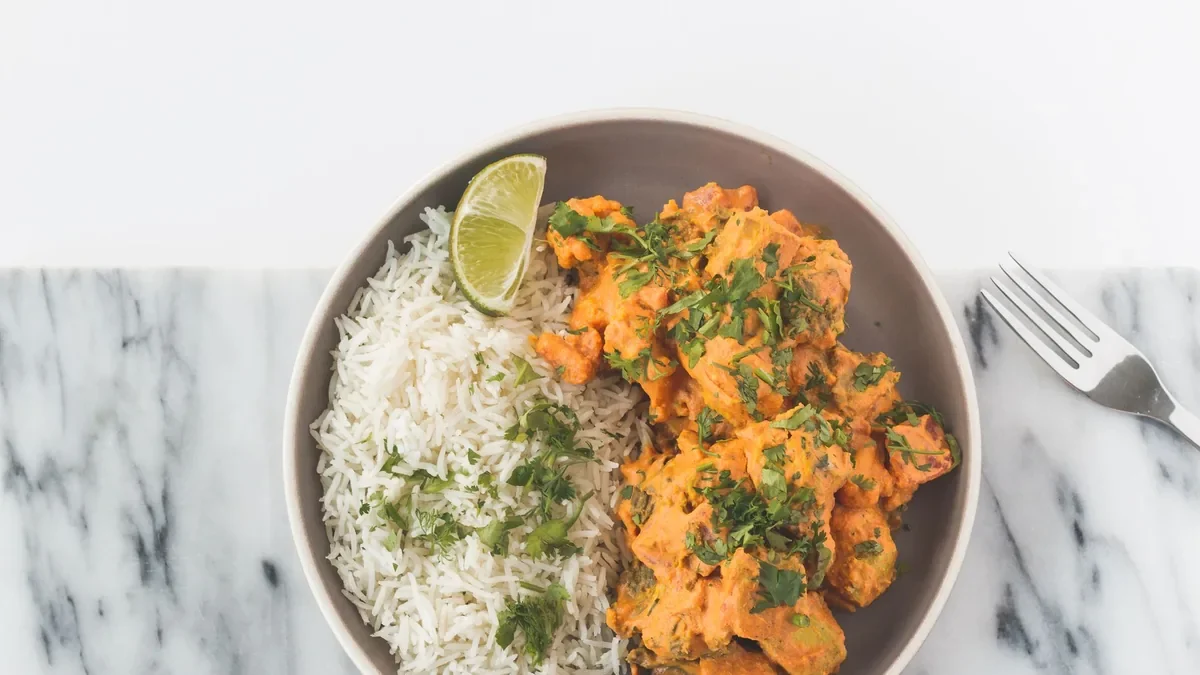
| "indian food restaurant best city tikka" | "Chicken tikka masala with basmati rice and a cilantro garnish" |
| "tacos tacos tacos near me" | "Three al pastor tacos with pineapple, onion, and lime" |
The good examples describe the real image, read naturally, and still contain the words people search, because those words honestly describe the food.
File names: keep them readable
File names are a small, free signal and a usability win for your own team. Use dish-first, lowercase, hyphenated names:
smash-burger.webpchicken-tikka-masala.webpal-pastor-tacos.webp
If you run multiple locations or refresh photos over time, add structure:
- A location code:
smash-burger-downtown.webp - A version or date:
smash-burger-2026-06.webp
This keeps your image library organized so you can ship menu updates fast and never lose track of which photo is current.
A simple alt text formula
If you want a repeatable pattern your whole team can follow, use this: [dish name] with [1-2 key ingredients or details] on/in [serving context]. It produces accurate, natural descriptions every time without anyone having to think about SEO:
- "Margherita pizza with fresh basil and melted mozzarella on a wooden board"
- "Iced matcha latte with oat milk in a tall glass"
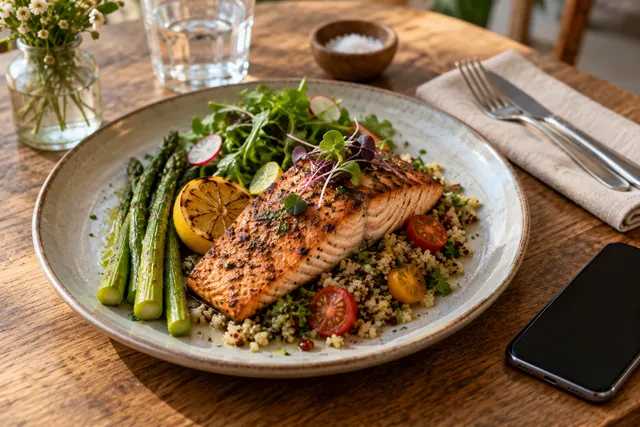
- "Grilled salmon with roasted vegetables and lemon on a white plate"
Keep alt text concise, usually under about 125 characters, since screen readers read it aloud and overly long descriptions become tedious. You do not need to end with "image of" or "photo of"; assistive technology already announces that it is an image.
Where alt text is optional
Not every image needs descriptive alt text. Purely decorative graphics (a background texture, a divider, a small flourish) can use empty alt text (alt="") so screen readers skip them. Reserve descriptive alt text for the images that carry meaning: your dishes, your space, and your packaging. This keeps the experience clean for assistive-technology users and focuses your effort where it counts.
The practices that quietly help most
Alt text and file names matter, but they sit on top of more impactful basics:
- Use modern, compressed formats (like WebP) so images load fast. Speed is a real ranking and conversion factor.
- Size images sensibly so phones do not download oversized files.
- Keep a consistent style across the menu so the page looks professional and trustworthy.
- Make photos accurate, so the dish shown matches the dish served.
That last point matters more than any tag. Search engines and customers both reward pages that feel trustworthy, and nothing erodes trust faster than a photo that does not match reality.
Where photo quality meets image SEO
Clean, well-lit, accurate photos are easier to label honestly and more likely to earn clicks in image and local results. If your photos are dim, yellow, or cluttered, even perfect alt text will not make them appealing in a result. This is where a fast enhancement step pays off: upload a real phone photo of your real dish to FoodPhoto.ai and get back a clean, consistent, correctly cropped image, without changing the food. You then label that clean photo with simple, honest alt text and a readable file name. Try the a $5 pack of 10 photos to see the before and after.
For the bigger local picture, accurate photos and labels feed directly into your Google Business Profile photo strategy, and the export side is covered in our DoorDash + Uber Eats photo requirements guide.
Don’t overdo it
A quick list of what to avoid:
- Stuffing city names into every image’s alt text.
- Repeating the same phrase across every photo.
- Writing alt text that does not match what is actually in the image.
- Naming files with keyword strings instead of dish names.
Accurate beats clever, every time.
How image SEO fits your wider local strategy
Image SEO is one piece of a larger picture, and it works best when the surrounding fundamentals are in place. Accurate alt text and clean file names help search engines understand individual photos, but the bigger wins come from the page they live on: a fast-loading menu, a well-structured page, honest content, and images that customers actually want to click. Think of alt text and naming as the finishing touches that make already-good photos legible to machines, not as a trick that rescues weak ones.
A practical sequence to follow:
- Capture or enhance clean, accurate photos so the images are worth surfacing.
- Compress and size them properly so pages stay fast.
- Name files descriptively so your library is organized and readable.
- Write honest alt text that describes each image in plain language.
- Keep everything consistent across the menu so the page reads as a trustworthy brand.
Do those five in order and your menu photos will be as discoverable as they are appetizing, without a single keyword-stuffed tag.
Alt text examples by dish category
To make the formula concrete, here’s how the [dish name] with [key details] on/in [serving context] pattern looks across common restaurant categories. Notice that none of them mention a city, a "best," or a repeated phrase — and yet every one naturally contains the words a hungry person might search:
| Category | Good alt text |
|---|---|
| Burger | "Double smash burger with cheddar, pickles, and onion on a toasted sesame bun" |
| Pizza | "Wood-fired margherita pizza with fresh basil and bubbled crust" |
| Salad | "Kale Caesar salad with shaved parmesan, croutons, and a lemon wedge" |
| Pasta | "Bowl of spaghetti carbonara with crispy pancetta and black pepper" |
| Dessert | "Slice of chocolate layer cake with ganache on a white plate" |
| Drink | "Iced oat milk latte with latte art in a clear glass" |
Each describes exactly what’s in the frame. If your photo doesn’t actually have basil on the pizza, the alt text shouldn’t either — accuracy is the whole point, for both accessibility and trust.
A 5-minute alt text audit for an existing menu
You don’t need to overhaul everything at once. Spend five minutes spot-checking the highest-traffic pages:
- Open your menu page and inspect the images. Most browsers let you right-click and view the alt attribute, or use a free accessibility checker extension.
- Flag anything generic.
image1.jpg,IMG_2048.webp, oralt="food"are all signals nobody ever labeled the photo. - Rewrite the worst five first using the formula. Start with your bestsellers and hero images — those drive the most clicks.
- Check for repetition. If the same phrase appears on every image, that’s the keyword-spam pattern to remove.
- Confirm the file names are readable while you’re in there. Renaming on your next photo refresh is easier than renaming live assets, so batch it with your normal update cycle.
This small audit usually surfaces a handful of missing or lazy labels that are trivial to fix and immediately improve both accessibility and how cleanly the page reads to search engines. For a repeatable version of this across the whole menu, pair it with our restaurant menu photo audit checklist and the menu image SEO guide for the broader on-page picture.
When your images are consistent, fast, and honestly labeled, you ship updates faster and your menu is easier for both customers and search engines to understand. When you want a fast, consistent way to clean up the photos behind all that labeling, see our simple credit-based pricing — a $5 pack of 10 photos gets you 10 credits, plans start at $15/month, and credits roll over — and get menu-ready images in minutes.
Frequently Asked Questions
What should restaurant image alt text say?
It should describe what the image shows in plain language: the dish name plus a distinguishing detail, like ‘Smash burger with melted cheese and pickles on a toasted bun.’ Alt text is for clarity and accessibility first; accurate, human descriptions also help search engines understand the photo.
How do I name restaurant photo files for SEO?
Use readable, dish-first file names like ‘smash-burger.webp’ or ‘chicken-tikka-masala.webp.’ If you run multiple locations or versions, add a location code, version number, or date. Keep names lowercase with hyphens, and avoid stuffing city keywords into every file.
Is keyword stuffing in alt text bad for SEO?
Yes. Repeating phrases like ‘best restaurant in [city]’ across every image looks like spam, hurts accessibility, and can undermine trust signals. Write alt text that accurately matches the image. Clear, honest descriptions are what actually help both customers and search engines.
Does image SEO actually help restaurants get found?
It helps indirectly. Accurate alt text and clean file names make your photos easier for Google to understand and surface in image and local results, and they improve accessibility and page quality. Combined with fast, well-optimized images, it strengthens your overall local presence.
Related guides
- Image SEO for restaurant menus
- Rank menu pages and win orders
- A file-naming convention your team will use
Ready to upgrade your menu photos? Open the FoodPhoto.ai studio or see plans and pricing.