
● Tips · 7 min read
5 Phone Food Photo Tips That Immediately Improve Your Menu
Five practical phone food photography tips for restaurants: window light, framing, cleanup, and a batch workflow that makes every menu photo look consistent.

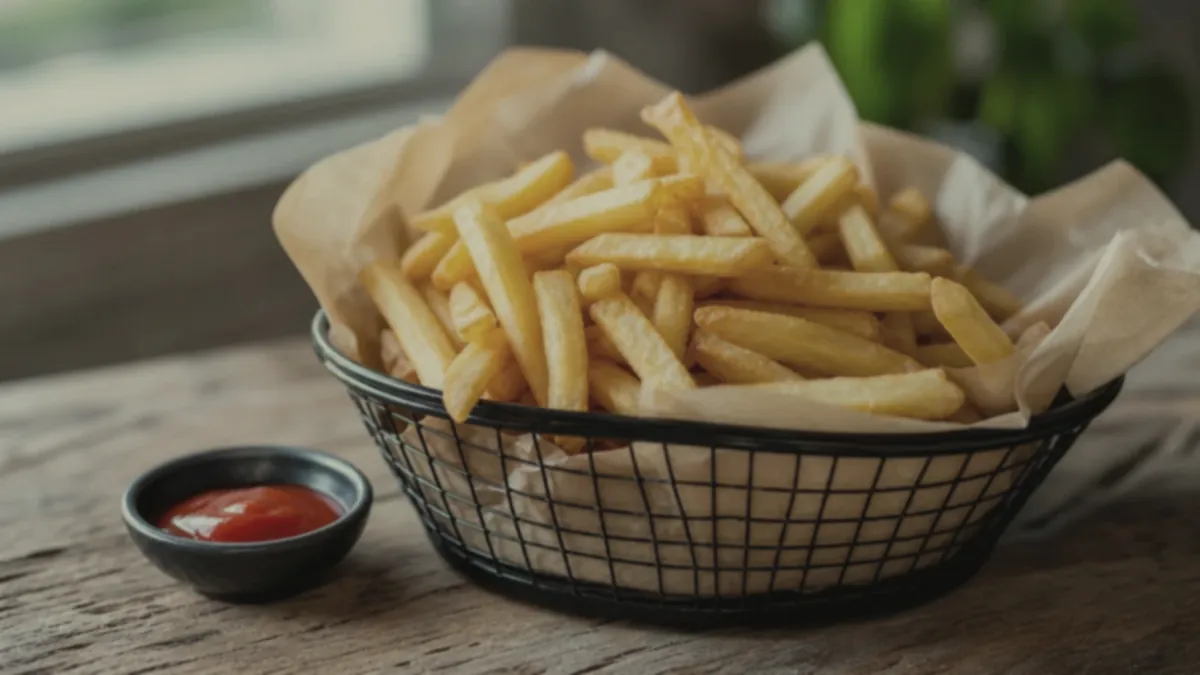
You do not need a camera, a studio, or a photographer to lift your menu — you need a few repeatable habits and the phone already in your pocket. These five phone food photography tips are the ones that improve restaurant photos the fastest, because they fix the things that actually make food look cheap: bad light, cluttered frames, blown highlights, and a menu that looks like ten different restaurants. Do them in order, build them into a routine, and your photos will start pulling their weight on your menu, delivery apps, and social.
Tip 1: Use side window light
This is the single biggest upgrade available to any restaurant, and it costs nothing. Move the dish near a window and let the light come from the side. Side light rakes across the food and reveals dimension — the height of a burger, the gloss of a sauce, the texture of a crust. Flat, overhead restaurant lighting does the opposite: it makes food look two-dimensional and dull.
A few rules that make window light work:
- Turn off the overhead lights so you are not mixing warm bulbs with cool daylight (mixing is what creates ugly color casts).
- Avoid direct, harsh sun — a bright but overcast window or a sheer curtain gives softer, more flattering light.
- Put a white card or napkin on the shadow side to gently fill the darkest part of the dish.
If lighting is the part you most want to master, our deeper dark and moody food photography guide shows how directional light shapes the whole feel of a shot.
Tip 2: Clean the frame
Every extra object in the frame is noise — and at thumbnail size, noise costs you the click. Before you shoot, clear out receipts, towels, extra plates, prep containers, and hands. Keep one plate or bowl and, at most, one consistent accent like a napkin or board.
A clean background instantly makes the same dish look more expensive. This is the cheapest "premium" upgrade there is, and it takes ten seconds. If you cannot fully clear the background, you can clean it later in editing — but starting clean is always faster.
Tip 3: Slightly underexpose
Blown-out highlights are the giveaway of an amateur food photo. When the bright parts of a dish go pure white, the food loses its glossy, appetizing detail and reads as "cheap." The fix on a phone:
- Tap to focus on the food.
- Slide the exposure down a touch (most phone cameras let you drag a sun icon after tapping).
- Aim for highlights that keep texture — the shine on a sauce should look wet, not white.
You can always brighten a slightly dark photo in editing; you can rarely recover a blown-out one. Protect the highlights.
Tip 4: Shoot three angles per dish
Different foods sell at different angles, and shooting three covers your bases:
- 45 degrees — the natural "how you see it at the table" angle, great for most plated dishes, burgers, and sandwiches.
- Overhead (top-down) — best for bowls, pizzas, flat lays, and anything where the spread is the story.
- Close texture shot — a tight crop on the best detail (the cheese pull, the crumb, the char) for hero images and social.
Shooting all three takes seconds and gives you options for the menu, the website, and the feed from a single setup. Pick a default angle per dish type and stay consistent — our delivery app thumbnail playbook maps which angle wins for each category.
Tip 5: Batch your edits
Here is the tip most restaurants skip: consistency across the menu matters more than any single perfect photo. One stunning shot next to nine random ones makes the whole menu look worse. The fix is to batch — shoot several dishes in one session, then edit them together with the same background, brightness, and crop logic so they read as one brand.
Batching also makes the work sustainable. Instead of agonizing over one photo, you process a whole set at once, publish, and move on. A weekly or per-specials rhythm keeps the menu current without ever feeling like a project.
Put it together: the 15-minute routine
- Shoot 3–5 dishes near a window, lights off, frames clean.
- Three angles each, slightly underexposed.
- Pick the best frame per dish.
- Enhance them as a batch to one consistent look.
- Export the crops you need for menu, delivery apps, and social.
The enhancement step is where FoodPhoto.ai fits: upload your real phone photos and it fixes lighting, color, gloss, and background — and standardizes the look across the set — without changing the food. That honest enhancement is what turns a batch of decent phone shots into a menu that looks professionally photographed. Try it on one dish in the Try Pack to see the before/after.
The mistakes these tips fix
It helps to know what you are avoiding. These five tips exist because they correct the five most common reasons restaurant phone photos look amateur:
- Flat, dead lighting from overhead bulbs — fixed by Tip 1 (window light).
- Visual clutter that drowns the dish at thumbnail size — fixed by Tip 2 (clean frame).
- Blown-out, "cheap"-looking highlights — fixed by Tip 3 (slightly underexpose).
- Wrong angle for the dish, hiding what makes it appetizing — fixed by Tip 4 (three angles).
- A menu that looks like ten different restaurants — fixed by Tip 5 (batch for consistency).
Notice that none of these require new gear. They are habits and judgment calls, which is exactly why they are repeatable — you can teach them to a manager or a line cook in one session and get the same result every week.
A note on honesty
One temptation with better photos is to over-style: pile the plate higher than the kitchen serves it, add toppings that are not in the recipe, or push the color until the food looks unreal. Resist it. On delivery apps especially, the photo is a promise — and a promise the kitchen cannot keep turns into refunds and "photo didn't match" reviews. Make the food look like the best version of itself, not like a different dish. Honest, appetizing, and accurate is the combination that earns repeat orders.
These five tips compound. Window light fixes dimension, a clean frame fixes clutter, careful exposure protects the food, three angles give you options, and batching gives you consistency. Build them into a routine and your phone becomes a real photography tool.
Ready to make the whole menu look like one brand? Run a few dishes through the Try Pack and check the pricing — a one-time $2.99 Try Pack is five credits, plans start at $4.99/month, and credits roll over.