

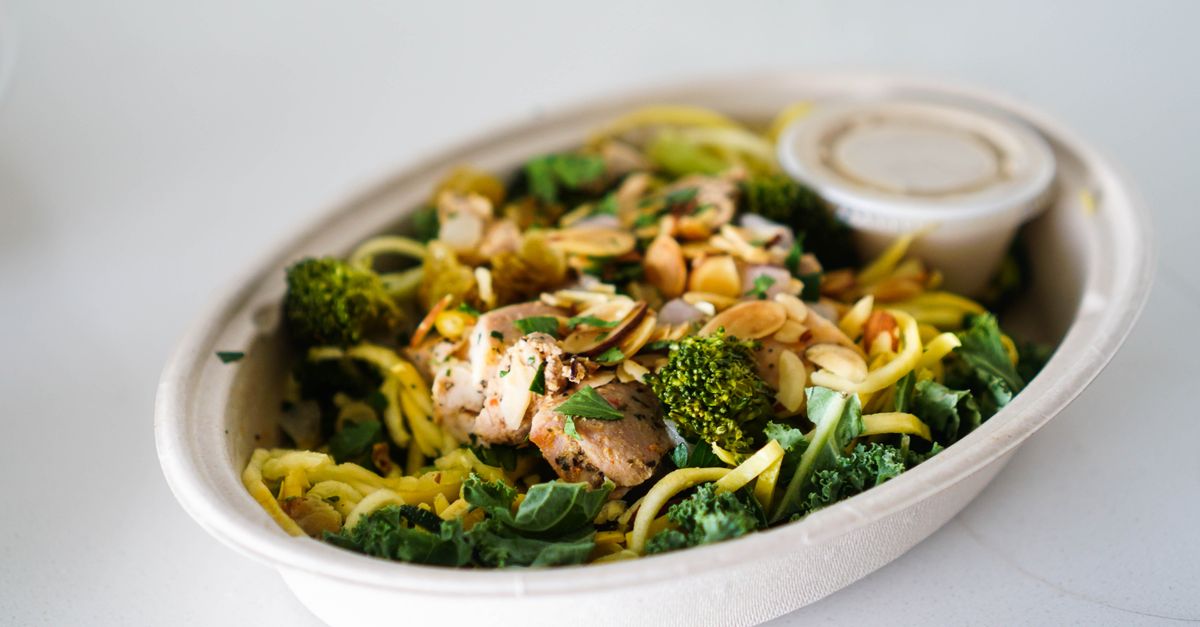
 Photo by Loren Castillo via Pexels
Paleo Food Photography for Restaurants
Paleo food photography: styling, signature dishes, and AI editing guidance to turn real restaurant photos into menu-ready images for delivery apps, Google Business Profile, printed menus, and your own ordering site.
Quick answer
Ancestral paleo diet focusing on whole foods, grass-fed meats, vegetables, and eliminating processed ingredients. For restaurant operators, the goal is not a generic stock-style image. The goal is a photo that shows the real dish clearly, keeps the paleo identity intact, and fits the crops used by delivery platforms and menu pages.
FoodPhoto.ai improves the lighting, color balance, background, crop, and consistency of real paleo dish photos. The food itself, including ingredients, plating, and portion size, stays aligned with what the customer receives.
Photographing Paleo food
Show high-quality proteins, colorful vegetables, natural ingredients. Emphasize freshness and primal appeal with rustic presentation. Use earth tones, wooden boards, and natural elements. Show perfectly cooked meats with vegetable sides. For delivery apps and mobile menus, leave clean margins around the plate so the dish still reads after a square or 3:4 crop. Avoid heavy shadows across the main ingredient, and keep garnishes visible without covering the item customers are buying.
- Use the same lighting and surface treatment for grass-fed steak so the menu feels coherent.
- Use the same lighting and surface treatment for sweet potato fries so the menu feels coherent.
- Use the same lighting and surface treatment for grilled salmon so the menu feels coherent.
- Use the same lighting and surface treatment for roasted vegetables so the menu feels coherent.
- Use the same lighting and surface treatment for almond flour baking so the menu feels coherent.
- Use the same lighting and surface treatment for bone broth so the menu feels coherent.
Signature Paleo dishes to feature first
Prioritize the dishes that customers already search for, compare, and tap. A small restaurant does not need a full studio shoot to improve its whole menu; it needs the highest-visibility dishes photographed consistently and published everywhere the guest decides what to order.
- Grass-fed steak
- Sweet potato fries
- Grilled salmon
- Roasted vegetables
- Almond flour baking
- Bone broth
- Coconut curry
Regional and styling notes
Paleo cuisine spans Global. Use plates, bowls, boards, ceramics, garnishes, and surface choices that feel natural for the cuisine rather than copying a generic restaurant-photo template.
For multi-location or franchise menus, keep the cuisine signal consistent while still showing the actual item sold at each location. That means the same crop logic, similar backgrounds, and the same brightness target across the full paleo menu.
AI editing workflow for Paleo menus
Start with one in-focus phone photo per dish. FoodPhoto.ai can normalize exposure, white balance, sharpness, background, and crop so the image works on DoorDash, Uber Eats, Grubhub, Google Business Profile, social ads, and your website. The useful presets for this cuisine are rustic, natural light, studio pro, and macro detail.
- Photograph the actual finished dish from the angle guests expect for that item.
- Upload the original photo and choose a style that matches your cuisine and brand.
- Review the enhanced photo for menu accuracy before publishing.
- Export consistent crops for delivery apps, menu pages, ads, and Google Business Profile.
Where these photos should be used
Use the same approved paleo menu photos across your ordering site, delivery marketplaces, Google Business Profile, email offers, and paid social. Consistency matters because customers often compare a restaurant across more than one surface before ordering.
- Delivery platform photo guides for marketplace-specific specs.
- Photo quality checker before publishing a new dish photo.
- Menu photo resizer for square and vertical crops.
- AI food photography guide for the full restaurant workflow.
Related Paleo photo resources
Frequently asked questions
How do I photograph Paleo food for delivery apps?
Show high-quality proteins, colorful vegetables, natural ingredients. Emphasize freshness and primal appeal with rustic presentation. Use earth tones, wooden boards, and natural elements. Show perfectly cooked meats with vegetable sides. Keep the dish centered with clean margins and bright, even lighting, then export a square or 3:4 image at 1000px or larger.
What are the best Paleo dishes to photograph first?
Start with the signature and highest-margin items customers already recognize: grass-fed steak, sweet potato fries, grilled salmon, and roasted vegetables. These images usually create the fastest lift because they affect the dishes people compare before ordering.
Can I use a phone photo of my Paleo dishes?
Yes. One sharp smartphone photo taken in the restaurant is enough for FoodPhoto.ai to improve lighting, crop, background consistency, and export quality while preserving the actual dish and portion.
Does AI editing change the Paleo dish?
No. The workflow is built for menu accuracy: it improves presentation, lighting, background, sharpness, and crop without changing ingredients, portion size, or what the guest receives.
How much does Paleo food photography cost with FoodPhoto.ai?
That lets a restaurant refresh priority menu photos without booking a traditional photoshoot. FoodPhoto begins with two previews on your own dish, with a verified account and no card. Free previews are significantly slower than paid plans and are prepared in a separate queue: about 30–35 seconds in normal conditions, and longer when the service is busy or the edit is complex. Keep the chat open and do not repeat the request while it processes. See the current plans and usage estimates for photos, menus and campaigns.
Create menu-ready Paleo photos
Upload real dish photos, improve the presentation, and publish consistent images across your delivery apps and restaurant menu without scheduling a studio shoot.