
FoodPhoto.ai guide
Birthday cake photography for bakeries and custom-cake decorators
A practical phone-to-portfolio workflow for showing the real cake, from tiers and frosting to fillings and themed detail.
Open the studio with a real cake photo or see current plans and allowances.
Show the cake from three useful viewpoints
A customer choosing a custom birthday cake wants to see what will actually arrive: its tiers, color, piping, fondant work, decoration and, when relevant, filling. A quick phone photo may contain all that information while making it difficult to judge. The goal of a useful portfolio is simple: make the real design easier to inspect without replacing it with an idealized cake.
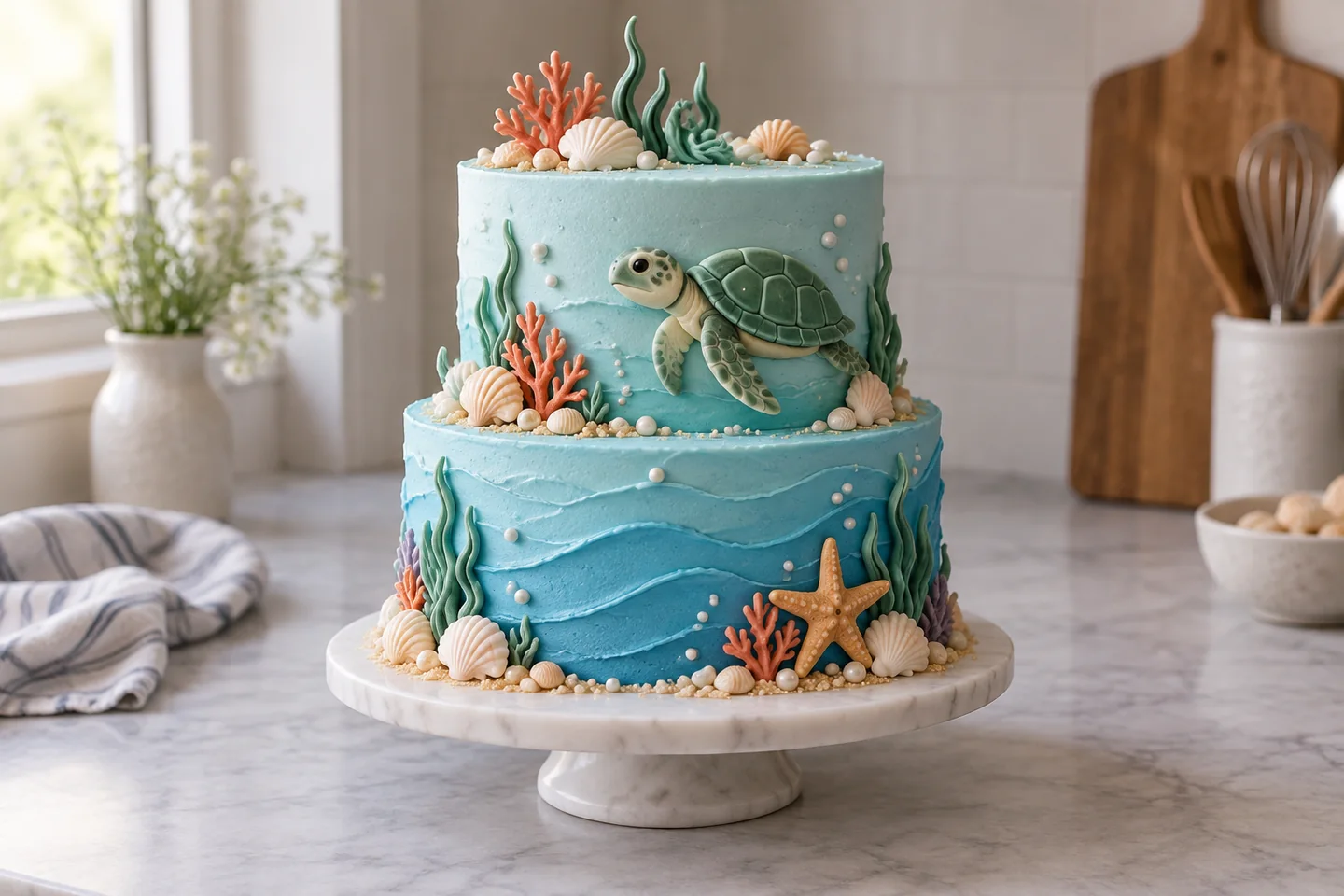
Begin with a whole-cake view. It should make the silhouette, tiers, overall color and finish easy to understand. Keep enough space around the cake that the top and base do not feel accidentally cropped.
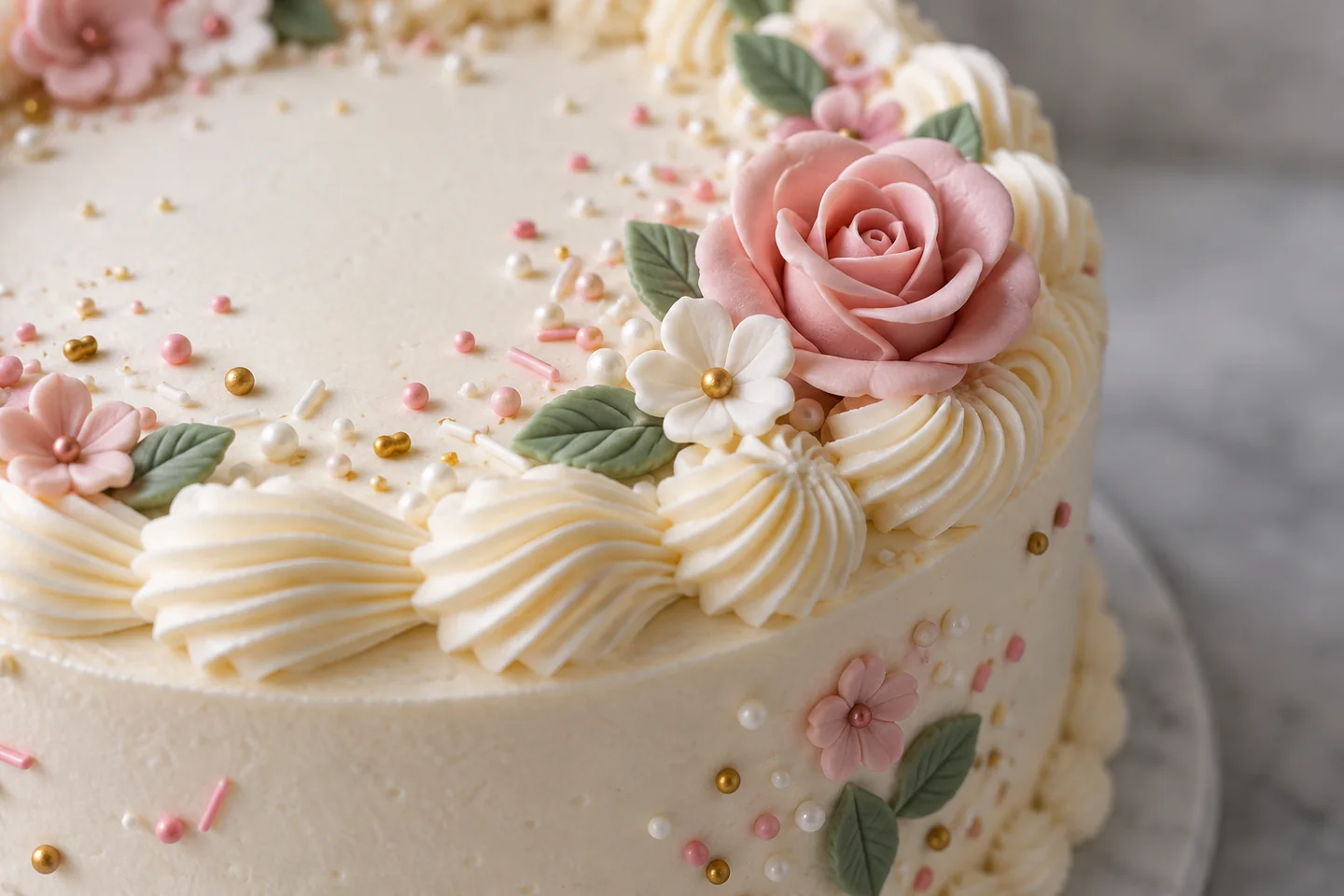
Add a close view of the decoration when it matters to the order: piping, fondant cutouts, edible figures, sprinkles, drip patterns, gold leaf or sugar flowers. The detail view gives a customer evidence of the finish without asking the whole-cake image to do every job.
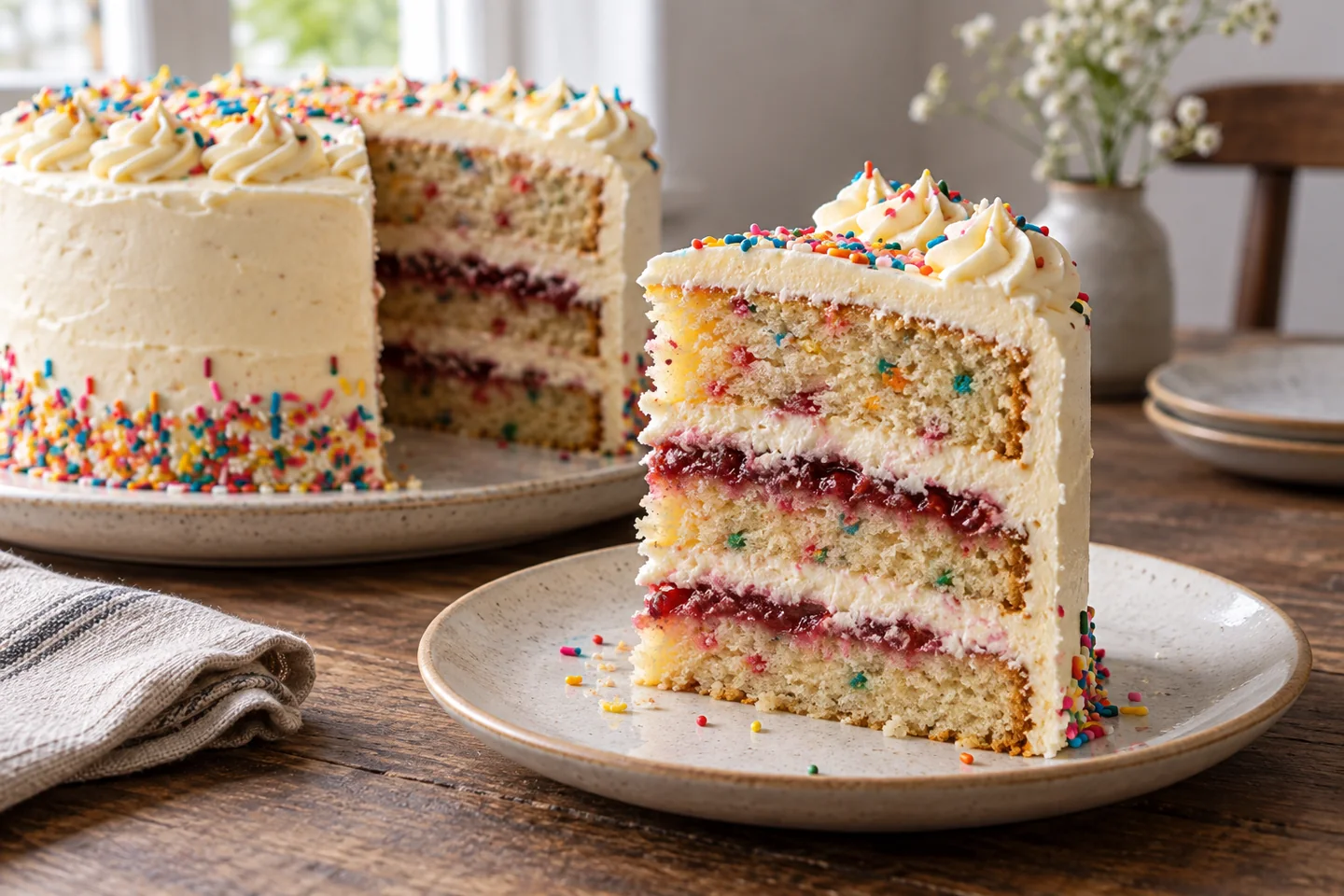
When a real slice or cross-section is available, show it separately. It helps customers see the layers, filling and relationship between cake and frosting. Do not imply that a cake has a cross-section image if one was not photographed.
Photograph the finished cake with a phone
Use soft, even light when possible. Window light can reduce harsh shadows and make frosting color easier to judge, but direct sun can create bright spots that erase piping. Move the cake a little farther from the window, turn it until the side facing the camera is readable, and lock focus and exposure if your phone allows it.
Keep the phone steady and photograph the complete cake before taking closer views. Capture enough of the cake to preserve its shape and proportions. Avoid a crop that removes the feature a customer is trying to evaluate; the clearest source image is more useful than a dramatic angle that hides the design.
For the slice, cut a clean piece and turn its cut face toward the camera. Wipe crumbs from the plate, keep the filling visible, and take the picture before the frosting softens. That small bit of preparation gives the interior photograph a job instead of making it look like an accidental leftover.
Improve the image without changing the cake
FoodPhoto.ai is built for truthful enhancement: start with a real photo of the finished cake, then describe the change you want—softer light, a less distracting background, or a crop that gives the decoration room to read. Keep the source beside the result.
Compare the two images before using the result in a portfolio. The tiers, piping, color, decoration and portion should still match what was made. Generated edits can change details, so reject an output that adds a decoration, removes a visible element, changes the filling, or makes the cake look taller than it is. The point is to make the real cake easier to judge, not to invent a better cake.
An editable brief for a real cake photo
Replace the bracketed parts and adjust the request to the image you actually photographed:
Subject: the finished [birthday cake], as shown in the uploaded photo
Composition: [whole cake / decoration detail / real slice], with the feature easy to inspect
Light: soft, even window light; keep frosting color and filling color natural
Background: reduce distractions without changing the cake or its serving surface
Viewpoint: [eye-level three-quarter view / close detail / low slice view]
Constraints: keep the tiers, piping, decoration, ingredients, filling, portion and proportions true to the source; do not add or remove food
Read the brief against the source before accepting the result. If the requested improvement makes the cake less truthful or less legible, keep the original or try a smaller change.
Prepare images for where customers browse
Use the whole-cake image on a bakery website, order page, or party-planner portfolio, where customers need context. Use a detail crop on Instagram or Etsy when the decoration is the main reason someone is considering the design. Use a real cross-section when the filling or interior layers are part of the offer.
Keep the image and the written description aligned. A portfolio should show the cake a customer can actually order, including its visible decoration, color, finish, and any interior detail you have genuinely photographed. A strong image is evidence; it is not a promise that every variation of the design will look identical.
For the next step, see the bakery and pastry phone-photography guide for a broader setup, or open the food photo editor guide when you are deciding which presentation change to request.
Start with a real cake photo
Check the current FoodPhoto plans and packs before buying. Count completed attempts, retakes and staff review when estimating the budget for your actual menu. Failed generation usage is returned. Generation can take a minute; keep the chat open while it processes.
Open the studio with a real cake photo or see current plans and allowances.
Clear cake photography does not need to invent a better cake. Show the whole design, the inside when relevant, and the decoration customers care about; then use careful light, background, and crop improvements to make the real work easier to understand.
FAQ
Can FoodPhoto.ai change my cake design?
Start with a real photo of the finished cake and ask for presentation improvements such as softer light, a cleaner background, or a more useful crop. Generated edits can change details, so compare the result with the source and reject anything that changes the tiers, piping, color, decoration, or portion a customer should receive.
How can I make frosting detail easier to see?
Photograph the cake in soft, even light when possible. Keep highlights under control, take a steady close view of the piping or texture, and check that the final crop still shows the finish rather than hiding it behind glare or a dramatic angle.
Can I build a cake portfolio from phone photos?
Yes. Use a whole-cake image for context, a close view for decoration, and a real slice when the interior matters. FoodPhoto.ai can help prepare those real photos for a bakery site, Instagram, Etsy, or an order page; review every result before publishing.