
● Strategy · 8 min read
Build a Restaurant Photo Library: The Assets You'll Reuse All Year
Forget a portfolio. Restaurants need a reusable food photography library: menu shots, hero images, lifestyle scenes, and seasonal updates. Here's the playbook.

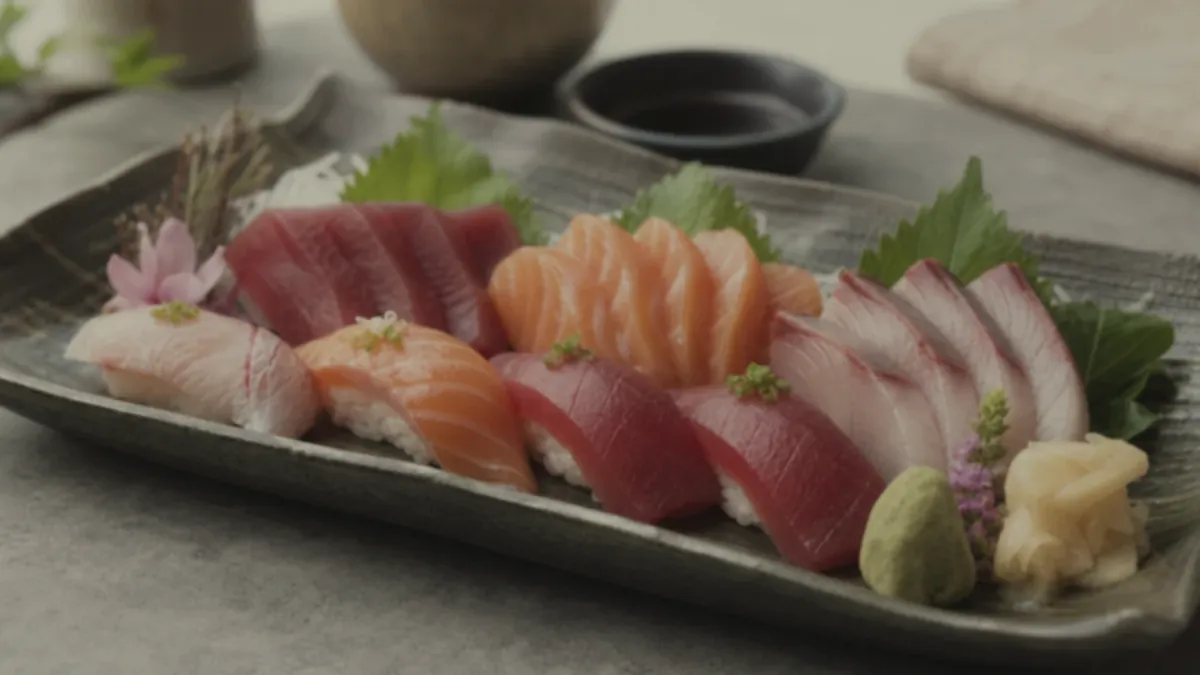
Most restaurants think they need a "portfolio." They do not — that is a photographer's concept. What a restaurant needs is a reusable food photography library: an organized set of images you build once and draw from all year for the menu, website, delivery apps, ads, and social. A small, consistent library beats a string of expensive one-off shoots every time, because it turns photography from a recurring project into an asset. This playbook covers the four asset types every restaurant needs, how to build the library without chaos, and how to keep it current on a schedule.
Library, not portfolio: the mindset shift
A portfolio is a showcase. A library is inventory you actually use. The difference matters because it changes how you shoot:
- You stop chasing the one perfect hero image and start building coverage across your menu.
- You shoot for reuse — multiple crops and formats from each dish — instead of one final.
- You think in systems and schedules, not events.
A small library that covers your whole menu consistently is worth more than three stunning photos and seven mediocre ones. Consistency is what makes a brand look intentional, and a library is how you get it.
The 4 asset types every restaurant needs
1. Menu listings (conversion)
These are the workhorses: clean, consistent photos of each dish for your menu and delivery apps. Their job is conversion, not art. They should share the same background, brightness, and angle logic so the menu reads as one brand. This is where the most orders are won or lost, so it gets the most coverage. Our delivery app thumbnail playbook covers exactly how to make these convert at small sizes.
2. Hero images (story)
A handful of bigger, more produced shots for your homepage, Google Business Profile cover, and paid ads. These carry the brand feeling — they can be more dramatic, more styled, more "wow." You need only a few, and they last a long time, so they are worth extra care.
3. Lifestyle and experience (trust)
Photos of the room, the team, the plating in action, the vibe at a full table. These build trust and tell the story of eating there, which menu shots cannot do alone. A few seasonal lifestyle images go a long way on social and your About page.
4. Seasonal updates (freshness)
Specials, limited-time items, and seasonal menus change constantly. Keeping a slot in your library for these — refreshed as they rotate — is what keeps the whole library feeling current rather than stale.
| Asset type | Primary job | How many | Refresh cadence | | --- | --- | --- | --- | | Menu listings | Convert orders | One per item | As items change | | Hero images | Carry the brand | A few | Quarterly / rebrand | | Lifestyle | Build trust | A handful | Seasonally | | Seasonal | Stay current | As needed | With each special |
The mistake most restaurants make is pouring all their effort into one category — usually the hero — and neglecting the menu listings that actually move orders. Coverage beats polish. A menu where every item has a clean, consistent listing photo will outperform a gorgeous homepage hero sitting above a wall of blank or mismatched dishes. Think of the four types as a balanced budget, not a ranking.
Where the library gets used
A single well-built library feeds every channel you already run, which is exactly why "build once, reuse everywhere" is the whole point:
- Your own menu and website — listing photos and a hero or two.
- Delivery apps — DoorDash, Uber Eats, and the rest, each pulling thumbnail-safe crops from the same masters.
- Google Business Profile — menu shots, food close-ups, and lifestyle images that quietly drive local discovery; our Google Business Profile photo strategy covers what to post and how often.
- Paid ads — hero and lifestyle images that make the creative do the selling.
- Social — seasonal and lifestyle shots, reformatted vertical.
When one dish photo serves five channels, the per-channel cost of great imagery collapses. That is the leverage a library gives you that a one-off shoot never can.
How to build it without chaos
The failure mode is a graveyard of random photos in five phones and three apps. Avoid it with three habits:
- Batch shoot monthly. Set aside one session a month to shoot new and changed dishes near a consistent light source. Batching keeps the look uniform and the work contained. The five phone food photography tips are the exact habits to use in each session.
- Enhance and export to one standard. Run every image through the same enhancement pass — same brightness, same background treatment — and export the crops you need (square, wide, vertical) so one photo serves every channel.
- Store it in one place with clear names. A single shared folder with predictable names —
dish-name_angle_date— means anyone on the team can find and use the right asset in seconds.
Keep it accurate, on a schedule
A library only works if it stays true to the food. Build a light review into your calendar:
- As items change: re-shoot the dish; an outdated menu photo is worse than none.
- Quarterly: review hero and menu photos for anything that looks tired or off-brand.
- Seasonally: add fresh lifestyle and specials shots.
A scheduled refresh keeps the library honest and current without ever becoming a big project.
Common mistakes that kill a library
Most libraries don't fail because of bad photos — they fail because of bad habits. Watch for these:
- Treating it as a one-time project. A shoot you do once and never touch is stale within a season. The whole value is in the light, repeatable refresh.
- No single source of truth. Photos scattered across three phones and two apps guarantee duplicate, conflicting versions. One shared folder, always.
- Inconsistent exports. If every photo is cropped and color-graded slightly differently, the menu never reads as one brand. Export to one standard.
- Over-investing in heroes, under-investing in coverage. A handful of stunning shots above a menu full of gaps loses orders. Cover the whole menu first.
- Letting the library drift from the food. A photo that no longer matches the plate erodes trust and drives refunds. When the dish changes, the photo changes.
If your files keep slipping into burger_final_FINAL_v2.webp chaos, a simple file naming convention is the cheapest fix — it makes "what is this" and "is it current" obvious at a glance.
The cheap way to keep it consistent
Consistency across dozens of images is the hard part — and it is exactly where AI enhancement earns its place. Shoot the real dishes on a phone, then let FoodPhoto.ai bring every image to the same lighting, color, and background standard without changing the food. Honest enhancement means the library stays accurate while looking cohesive, and at roughly $0.14–$0.60 per finished image, keeping it current is realistic even on a tight budget. For the full money comparison, see our food photography costs guide.
Think of your photo library as infrastructure: built once, maintained lightly, reused everywhere. It is the difference between scrambling for a usable photo every time you launch a special and pulling a perfect, on-brand image from a folder in ten seconds.
Start building yours this month. Run your top dishes through the Try Pack to set the standard, then check the pricing — a $2.99 Try Pack is enough to seed your first consistent set, and credits roll over as the library grows.