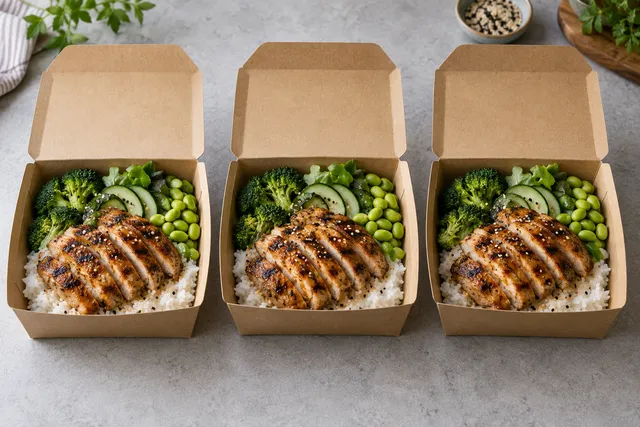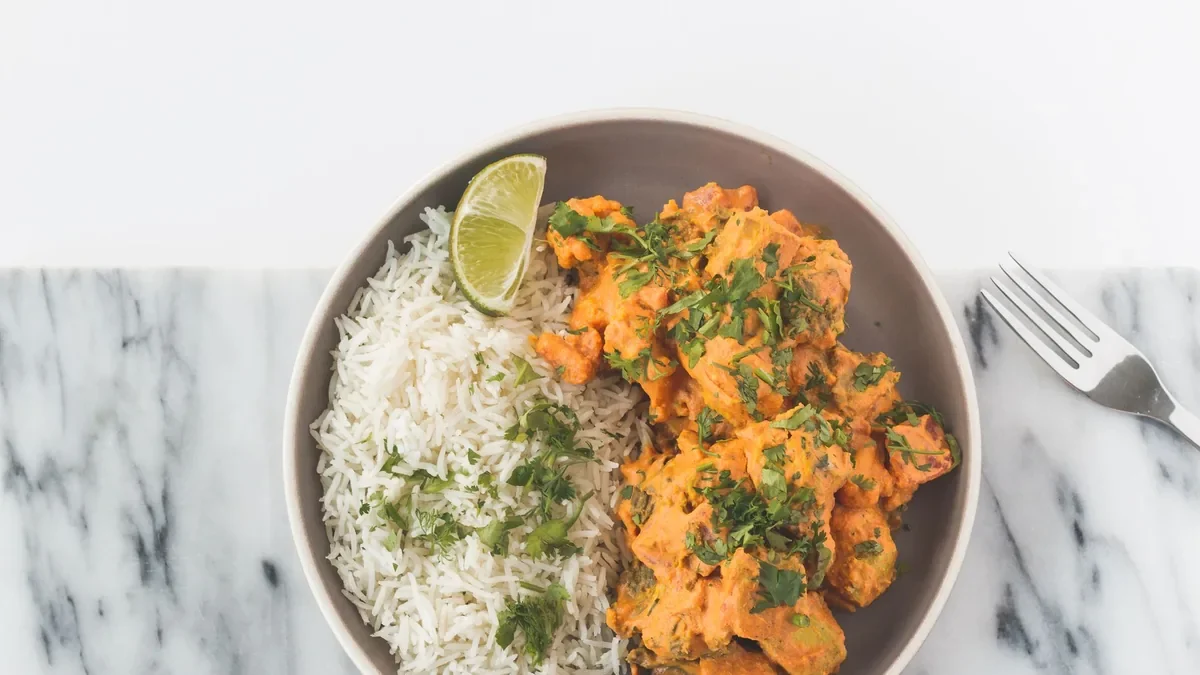
A Swiggy menu photo should show the exact dish a customer receives, fill the frame at thumbnail size, and stay sharp after Swiggy compresses it. Upload a bright, tightly cropped image of the real dish — minimum 1080px on the short edge, 4:3 or square, JPG in sRGB — and verify the current requirements inside the Swiggy Partner App before publishing, because marketplace specs change. This guide gives you the operator best-practice spec table, dish-by-dish framing rules, a pre-upload checklist, and the mistakes that get listings suppressed.
The short answer
Swiggy customers decide from thumbnails roughly 200px wide. Photos that win share three traits: the dish fills at least 70% of the frame, colors look like the real food under neutral light, and there is no text, collage, or heavy filter baked into the image. Shoot or generate against a clean background, export at high resolution so compression has headroom, and name files so your team can find them later.
- If the dish changed (portion, plating, packaging), replace the photo — do not stretch the old one.
- If only the price changed, keep the photo and update the listing data.
- If the thumbnail looks dark or blurry on a phone, fix light and crop before re-uploading.
- If one item outsells the rest, give it the best image first; photo ROI follows the sales ranking.
Best-practice spec table for Swiggy item images
Confirm these against the Swiggy Partner App image uploader before a bulk refresh; treat the table as the safe superset that survives compression on all major Indian delivery apps.
| Setting | Recommended value | Why |
|---|---|---|
| Resolution | Min 1080px short edge (e.g. 1440×1080) | Compression headroom; stays sharp at 2x displays |
| Aspect ratio | 4:3 landscape or 1:1 square | Matches Swiggy tiles without auto-cropping faces of the dish |
| Format | JPG quality 80–90, sRGB | Small file, consistent color across Android phones |
| File size | Under 5MB per image | Fast upload, no partner-app rejection |
| Dish fill | Dish covers ≥70% of frame | Readable at 200px thumbnail width |
| Background | Clean, neutral, uncluttered | Swiggy crops aggressively; props get cut |
| Text overlays | None baked in | Text blur and policy flags; put offers in listing fields |
Compare with the Zomato image-size specs guide if you list on both apps: the safe superset above satisfies both, so one export can feed Swiggy and Zomato without rework.
Dish-by-dish framing rules
Biryani and rice bowls: shoot at 45 degrees so the layers read; fluff the rice before shooting and add the mirchi/raita on the side, never hidden. Thalis: overhead flat-lay, katoris evenly spaced, roti photographed fresh — a stale roti in the hero image kills the whole thali. South Indian (dosa, idli): side angle to show crispness and height; chutneys in small bowls at the edge. Burgers, rolls and wraps: cross-section or angled stack showing the filling;closed rolls need one cut piece facing the camera. Desserts: tight crop, one spoonful disturbed to show texture; syrup shine reads as freshness at thumbnail size.
Across all dishes: wipe plate edges, remove stray crumbs, shoot the actual packaging variant for delivery-only items, and keep one consistent angle per category so the menu looks like one restaurant, not ten.
Phone capture workflow (15 minutes per dish)
1. Plate the real portion on a neutral plate. 2. Place near a window with indirect daylight; turn off yellow kitchen tubes. 3. Lock exposure on the dish and set white balance to daylight. 4. Shoot 4:3, five frames: overhead, 45°, tight detail, packaging variant, backup. 5. Pick the sharpest frame at 100% zoom. 6. Crop to dish-fill ≥70%, straighten, export JPG sRGB at full resolution. 7. Preview at 200px wide on a mid-range Android phone before uploading — that preview is the real quality gate.
AI enhancement without lying
Enhancement is legitimate when it restores what the phone lost: light, sharpness, background cleanup, consistent style. It becomes a trust problem when it changes portion, ingredients, or packaging. A practical policy: enhance light and background freely, never add ingredients that are not in the dish, and re-shoot rather than generate when the plating changed. The AI food photo editor follows this rule — it fixes real captures instead of inventing dishes — and the phone photography guide for owners covers the capture side in depth.
Swiggy vs Zomato: one export that serves both
Most Indian restaurants list on Swiggy and Zomato simultaneously, and maintaining two image sets doubles the work. The practical fix is a single master export: 1440px on the long edge, 4:3, JPG sRGB, dish-fill ≥70%, no text. From that master, derive a square 1080×1080 crop for tiles that demand it. Both apps compress aggressively, so the master carries the headroom and the derivatives stay light. Keep a two-column tracker (Swiggy status | Zomato status) per item so a refresh never ships to one app and not the other — mismatched menus across apps confuse repeat customers more than a slightly older photo.
How photos move ratings and repeat orders
The mechanism is simple: accurate, appetizing thumbnails raise tap-through; accurate arrivals protect ratings. Operators commonly report that items with bright, dish-filled photos outsell the same items with dark supplier shots — the photo is the only product inspection available before payment. Protect the downside first: every mismatch-driven 1-star review costs far more than a photo session, because Swiggy surfaces low-rated items less. Measure with a simple before/after: taps per hundred impressions for the item in the two weeks before and after the image swap, holding price and ranking slot as steady as possible. Roll winners into a house style guide (angle, background, crop per category) so the tenth photo looks like the first.
Pre-upload checklist
- Dish, portion, and packaging match what the kitchen sends today.
- ≥1080px short edge, 4:3 or 1:1, JPG sRGB, under 5MB.
- Dish fills ≥70% of frame; no baked-in text, logos, or collages.
- Sharp at 100% zoom; colors neutral, not oversaturated.
- Readable at 200px on a mid-range phone screen.
- Filename identifies item and date (e.g. chicken-biryani-hero-2026-09.jpg).
- Current Swiggy Partner App requirements re-checked this quarter.
- Top-10 sellers have the best images; the rest follow in sales order.
Mistakes that suppress listings
Blurry supplier stock photos, screenshots with UI borders, collages of four dishes in one tile, festival offer text burned into the image, and thumbnails where the dish is a distant speck on a table. Each of these lowers tap-through, and Swiggy’s ranking notices when customers scroll past. One more: uploading the dine-in ceramic-plate photo for a delivery-only cloud item — customers feel misled when sealed plastic arrives, and ratings pay for it.
FAQ
What size should Swiggy menu photos be?
Minimum 1080px on the short edge, 4:3 or square, JPG in sRGB under 5MB — and confirm the current requirements in the Swiggy Partner App before any bulk upload.
Should delivery photos differ from dine-in photos?
Yes. Photograph the actual delivery packaging and portion. A ceramic-plate dine-in shot for a sealed delivery item creates mismatch and hurts ratings.
Can I use AI-enhanced photos on Swiggy?
Enhancement of light, sharpness, and background is fine. Never add ingredients, change portions, or misrepresent packaging — re-shoot when the dish changed.
Do I need different photos for Swiggy and Zomato?
No. One master export serves both; derive a square crop where a tile demands it and track publish status per app per item.
How often should I refresh Swiggy photos?
Refresh top sellers quarterly and the full menu with every seasonal or packaging change, re-checking the Partner App spec each quarter.