Short answer: Zomato’s public POS integration documentation currently requires menu-photo uploads to be at least 400 × 400 pixels, under 15 MB, and supplied as JPEG or PNG. Zomato does not publish one universal pixel dimension for every restaurant profile, logo, gallery, and menu-photo surface. Use those verified upload minimums as the floor, then keep a larger square master so the same image survives app crops and future exports.
Reviewed on August 20, 2026. Platform requirements can vary by market and upload path, so confirm the final preview inside your own Zomato partner account before publishing.
Verified Zomato image requirements
Zomato’s official menu-integration documentation specifies three concrete rules for photo media: JPEG/PNG formats, a file smaller than 15 MB, and a minimum image size of 400 × 400 pixels. When an image is delivered through a POS integration, its URL also has to be publicly accessible and the image domain must be accepted by Zomato.
Those are upload requirements, not a promise that a 400 × 400 image will look good in every customer-facing placement. A square file at the minimum can pass validation and still appear soft after resizing. For production, keep a clean 2000 × 2000 pixel square master for logos or profile artwork and a high-resolution food master for dish images. That larger working file is a FoodPhoto workflow recommendation, not an additional Zomato rule.
Profile image and logo workflow
For a restaurant profile image, start with a square canvas and keep the logo, plate, or primary subject away from the outer edge. Apps often display square uploads inside rounded or circular frames, so a tight logo can lose letters even when the upload succeeds.
- Create one square master with the subject centered and generous safe margins.
- Preview both a square crop and a circular crop before export.
- Use sRGB color and export a high-quality JPEG for photography or PNG when transparency or hard logo edges matter.
- Open the uploaded image on a real phone and verify that the restaurant name or mark remains recognizable at thumbnail size.
If you are working specifically on a logo or avatar, use the Zomato profile image guide. For market-specific menu requirements, compare the Zomato India delivery-photo checklist.
Menu dish images that survive moderation
Zomato’s public photo policy focuses heavily on relevance and authenticity. It says food photos should be clear and in focus, and it lists several reasons an image may receive less visibility or be removed. These include duplicated or plagiarized photos, promotional content, people, blurry images, text, watermarks, half-eaten food, packaging, food under preparation, and subjects unrelated to the dish or restaurant atmosphere.
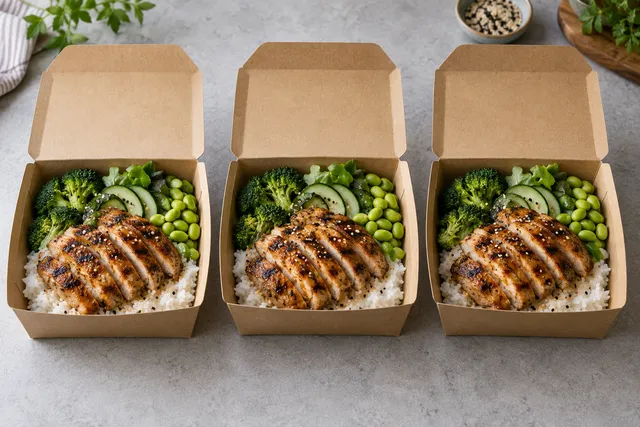
That means “exact size” is only one part of the job. A technically valid file can still be a poor menu asset if the crop hides the dish, the image includes a watermark, or the food no longer matches what the customer receives. Preserve the real dish, portion, toppings, and plating when you improve lighting or background. In FoodPhoto Studio, use the original plate as the reference and review the generated result against the item served by the restaurant before upload.
Recommended export checklist
- Dimensions: never below the verified 400 × 400 minimum; retain a larger master for quality and alternate crops.
- File size: stay below the verified 15 MB ceiling and compress a copy rather than repeatedly recompressing the master.
- Format: JPEG or PNG, matching the formats named in Zomato’s integration documentation.
- Crop: center the food and leave enough breathing room for square, card, and thumbnail views.
- Truthfulness: keep ingredients, portion, color, and presentation representative of the item customers receive.
- Final QA: inspect the partner preview and the live customer app; do not assume a successful upload means the crop is correct.
Official sources
- Zomato Developer Platform: menu integration and photo-upload requirements
- Zomato: public photo guidelines and policies
Limitations and update policy
Zomato can apply different rules by country, product, partner workflow, or app version. The 400 × 400 minimum and 15 MB limit above come from the public POS integration documentation; they should not be presented as the exact display size of every Zomato profile surface. Recheck the linked official pages and the partner upload screen whenever Zomato changes its tooling. This page keeps the year in the title while retaining a stable URL so verified requirements can be updated without discarding its search history.