
COMPARE · VS CANVA
FoodPhoto.ai vs Canva
Canva lays out the menu. We shoot the food.
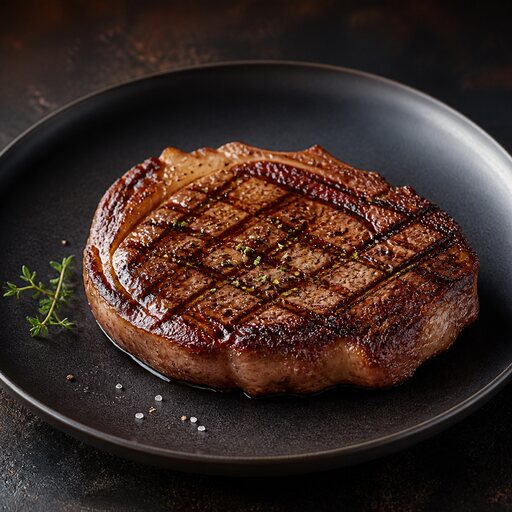
Canva is a brilliant design tool for templates, menus and social graphics — but it starts from photos you already have. FoodPhoto.ai is the step before: turning a dull phone snap into the appetizing photo Canva then drops into a layout.
 FOODPHOTO.AI
SIDE BY SIDE
FoodPhoto.ai vs Canva
FEATURE
FOODPHOTO.AI
CANVA
Core job
Make the food photo look professional
Arrange existing assets into a design
Fixes flat phone lighting
Yes — relights and restyles the dish
No — only filters and crops what you upload
Food-specific styling
Presets tuned to plates and cuisines
Generic stickers, frames and presets
Background and surface swaps
Clean studio swaps that respect the food
Manual background remover, generic backdrops
Menu-wide consistency
One preset across every dish
You re-apply edits by hand each time
Works together
Export your shots, then design in Canva
Imports the photos we produce
THE VERDICT
What we'd tell a restaurant owner
These are partners, not rivals. Shoot and polish your dishes in FoodPhoto.ai, then drop the finished frames into Canva to build the menu, flyer or post. The starting photo is what makes the layout look expensive.
MORE COMPARISONS
Weighing the alternatives
VS Hiring a food photographer
FoodPhoto.ai vs hiring a food photographer
Studio-grade plates without a studio day.
See the breakdown →VS Renting a photo studioFoodPhoto.ai vs renting a photo studio
The lighting rig, minus the loading dock.
See the breakdown →VS Learning to shoot it yourselfFoodPhoto.ai vs learning food photography yourself
Skip the 40-hour course, keep the results.
See the breakdown →