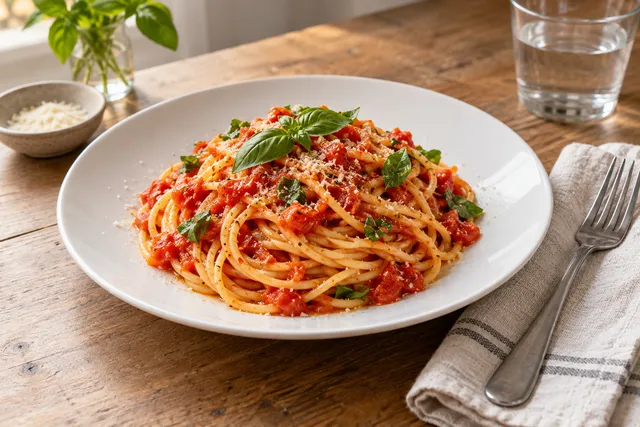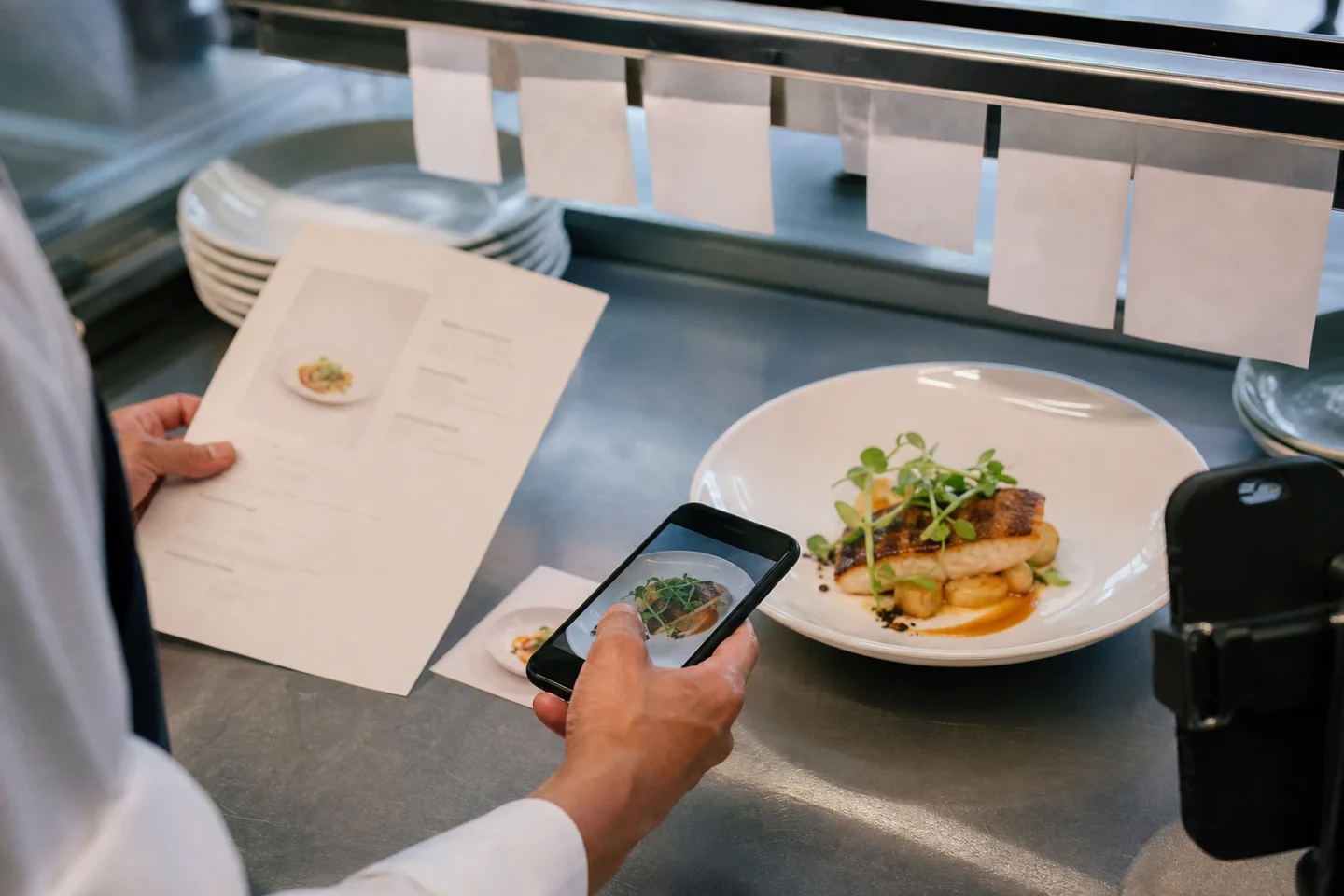
Update restaurant photos after a menu change only when the customer-facing appearance changed — not because the price changed. If only price, name, or description changed, keep the dish photo and update price data everywhere it appears. If ingredients, portion, plating, packaging, color, or included items changed, replace the photo. If light, background, crop, or consistency is dated but the dish is unchanged, enhance the real photo.
The short answer
Do not treat every menu edit as a full photography project. Treat it as an asset-risk decision.
- If only the price, item name, or description changed, the existing photo may remain accurate.
- If the garnish, background, crop, or lighting feels dated but the dish is unchanged, enhance or re-export the image.
- If ingredients, portion, plating, packaging, size, color, or serving format changed, replace the photo.
- If an image shows a bundle, promotion, or price claim, review it even when the main dish is unchanged.
- If the change affects allergens or dietary expectations, review the image and written information together.
The goal is not to make every asset look new. The goal is to make every customer-facing image an honest representation of what the restaurant currently sells.
Why menu changes create photo risk
Customers use food images to form expectations about quantity, presentation, ingredients, and value. A photo is therefore part of the product promise. When the menu changes but the image does not, customers may receive something different from what they selected.
That mismatch can appear in several ways:
- A smaller portion is shown as a larger plated serving.
- A premium garnish remains visible in the image after it has been removed.
- A side dish appears in the photo but is no longer included.
- A bowl is photographed in a ceramic vessel while delivery orders arrive in a sealed package.
- A sandwich is shown whole, although the new product is sold as a different size or cut.
- A vegetarian or allergen-sensitive customer sees ingredients that are no longer present—or does not see ingredients that have been added.
- A price badge, printed menu, ad, or promotional graphic continues to show an old offer.
Not every mismatch has the same consequence. A slightly different crop is usually low risk. A different portion or ingredient can be high risk. This is why a simple replacement rule—“new menu means new photos”—can waste time, while “photos never need updating” can create avoidable trust problems.
A risk-based restaurant photo update matrix
Use the matrix below whenever a dish, menu section, promotion, or ordering channel changes.
| Menu change | Example | Photo action | Priority | Why |
|---|---|---|---|---|
| Price only | Burger rises from €12 to €13 | Keep the dish photo; update price data and graphics | Low | The visual product is unchanged |
| Item name or description only | “House pasta” becomes “Roasted tomato rigatoni” | Review image and copy alignment | Low to medium | The image may still be accurate, but the wording should match |
| Cosmetic presentation change | New plate, garnish, sauce drizzle, or background | Enhance or replace selectively | Medium | The dish promise has changed visually, even if ingredients are similar |
| Portion or size change | Regular bowl becomes a smaller lunch bowl | Replace | High | Customers use the image to judge quantity and value |
| Ingredient change | Cheese, protein, topping, or side changes | Replace | High | The image may imply ingredients customers will not receive |
| Recipe color or texture change | Red sauce becomes cream sauce | Replace | High | The product looks materially different |
| Packaging change | New takeaway box, seal, or meal kit format | Replace delivery and pickup images | High | The order experience is now visually different |
| Bundle or combo change | Drink or side removed from a meal | Replace composite or promotional image | High | The image may promise items that are no longer included |
| Dietary or allergen change | Nuts added, dairy removed, vegan recipe introduced | Replace or re-photograph; audit copy | High | Visual and written accuracy affect customer safety and trust |
| Seasonal availability change | Limited-time topping or produce removed | Replace or unpublish temporary assets | Medium to high | Outdated imagery can suggest unavailable ingredients |
| Channel-specific format change | Dine-in plate becomes delivery-only package | Replace on the affected channel | High | The image should reflect the actual ordering context |
When a change falls into more than one row, use the highest applicable priority. If you are unsure, ask the kitchen or operations lead one concrete question: “Would a reasonable customer notice a meaningful difference between this image and the item they receive?” If the answer is yes, replace the asset.
Cosmetic changes versus material dish changes
The most useful distinction is whether the change affects the customer’s expectation of the product.
Cosmetic changes often include lighting, background, crop, color balance, minor styling, or a slightly different plate. These may be handled through careful enhancement if the underlying dish remains accurate. For example, a real phone photo can be improved with better exposure, a cleaner background, consistent cropping, and a menu-ready export.
Material changes affect what the customer receives. These include a new protein, different portion, removed garnish, changed side, altered recipe, new packaging, or a different serving format. An enhancement workflow cannot make an old photo truthful when the product itself has changed.
FoodPhoto.ai is useful for the cosmetic side of this process: upload real dish or phone photos, then improve light, background, crop, consistency, and export dimensions. Use it as honest enhancement. Do not use it to invent ingredients, enlarge portions, add unavailable garnishes, or create fantasy food that the kitchen does not serve. For a broader standard, review the FoodPhoto.ai food photo ethics guide.
A practical decision process for operators
1. Record exactly what changed
Start with the menu change itself, not the image folder. Write down whether the change affects:
- Ingredients or recipe
- Portion weight, dimensions, or serving count
- Plating or garnish
- Color, texture, or visible structure
- Container, packaging, or delivery presentation
- Included sides, drinks, sauces, or toppings
- Item name, description, price, or promotion
- Dietary, allergen, or labeling information
- Availability by location or channel
This prevents a vague request such as “refresh the photos” from becoming an unstructured project.
2. Compare the current asset with the current dish
Photograph or inspect the dish as it is currently served. Compare it with the live asset in the same context. Look at the full frame, not only the center of the image. A hidden side, sauce cup, topping, or package seal may change the interpretation of the item.
For multi-location restaurants, compare the approved dish against local execution. If portions or plating vary by location, use a channel and location rule that reflects what most customers actually receive. A single perfect-looking image may be misleading if the operating standard is not consistent.
3. Assign the update action
Choose one of four actions:
- Keep: The image still accurately represents the item.
- Enhance: The dish is accurate, but light, crop, background, or consistency needs improvement.
- Replace: The item has materially changed and needs a new source image.
- Remove or pause: The item is unavailable, discontinued, or too inconsistent to represent reliably.
4. Set an owner and deadline
A photo refresh fails when no one owns the final check. Assign the kitchen or operations lead to verify the dish, the marketing or content owner to manage assets, and the channel owner to publish the updates. For a repeatable cadence, use the 2026 restaurant photo refresh calendar.
Channel-by-channel replacement checklist
Use this checklist after approving an image. Mark each channel complete only after checking the live customer-facing view.
- Confirm the current recipe, portion, plating, packaging, and included items with the kitchen.
- Approve one honest master image and a clear asset filename.
- Update the restaurant website menu and item page.
- Update the online ordering system or first-party checkout.
- Replace the image in each delivery marketplace where the item appears.
- Check category thumbnails, item detail pages, combos, add-ons, and upsell modules.
- Review Google Business Profile food or menu imagery where relevant.
- Replace images used in social posts, highlights, pinned content, and profile galleries.
- Check paid ads, campaign landing pages, email banners, and promotional graphics.
- Update printed menus, table cards, window posters, and QR-linked PDFs.
- Remove obsolete versions from shared folders and mark them as archived.
- Verify alt text and nearby menu copy on owned web pages.
- Test the image on mobile, especially the thumbnail crop.
- Check that the price and item name match the current menu.
- Record the update date, owner, source image, and channels completed.
- Recheck the live pages after publishing.
Marketplace interfaces and requirements change. Before uploading, check each platform’s current rules for file type, dimensions, cropping, content, and approval. Do not assume that a file accepted last year will follow the same workflow today.
What to update when the price changes but the dish does not
A price change alone usually does not justify new food photography. It does require a data audit.
Check every place where the old price may appear:
- Menu item price
- Combo or bundle price
- Promotional image or badge
- Printed menu and QR menu
- Website structured content or visible copy
- Delivery marketplace listing
- Social post or paid campaign
- Email, SMS, or loyalty offer
- Alt text or caption if it includes a price claim
If the photo contains a physical price card, printed menu, offer label, or bundled item, the asset may still need replacement even though the dish itself is unchanged. A clean dish photo can remain live while price-bearing creative is updated.
For teams evaluating whether a full refresh is worthwhile, the restaurant menu photo audit checklist helps separate stale images from broader menu-content problems. If you need a faster production workflow, compare the current FoodPhoto.ai pricing and choose a pack that matches the number of assets requiring enhancement or replacement.
Handling portion and plating changes honestly
Portion changes deserve special attention because they affect value perception. A photo can be technically attractive and still be misleading if it shows a serving that customers no longer receive.
Do not solve a smaller portion by cropping tighter, adding visual volume, or digitally extending the plate. Instead, capture the current serving in a credible context. Keep the camera angle, background, and lighting close enough to your existing asset system that the menu remains consistent, but let the actual portion be visible.
Plating changes can be lower risk when the ingredients and quantity remain the same. Still, review the customer’s likely expectation. Removing a prominent garnish may be cosmetic in one dish and central to another. A bowl shown with a separate sauce cup may imply that the sauce is included. A dessert photographed with a scoop of ice cream may create a clear promise even if the written description is vague.
Packaging and delivery-specific updates
A dish can be accurate for dine-in and inaccurate for delivery. If the restaurant has moved to a sealed container, changed a box size, added a tamper label, or redesigned a meal bundle, review the delivery-facing image separately.
Packaging photography does not need to show every operational detail, but it should not imply a serving format that customers cannot receive. For delivery items, assess whether the image communicates the actual product, the likely portion, and any included components. Avoid using a beautiful plated image for a product that is sold primarily as a packaged meal if the difference could influence the purchase decision.
Keep a master dish image and channel-specific variants when necessary. One image may work for the website, while a delivery marketplace needs a tighter crop or a package-focused frame. Maintain the same truth standard across both.
A simple asset record for every update
You do not need a complicated digital asset management system. A small record can prevent repeated confusion:
| Field | Example |
|---|---|
| Item | Spicy chicken rice bowl |
| Change date | 2026-07-26 |
| Change type | Portion and packaging |
| Action | Replace delivery and website images |
| Approved source | Current phone photo from kitchen |
| Enhancement | Light, background, crop, consistency |
| Owner | Menu manager |
| Channels | Website, first-party ordering, marketplaces, social |
| Review date | 2026-08-02 |
| Notes | Verify sauce cup is included |
Store the source photo alongside the final export. This makes future updates easier and gives the team a clear reference if a customer questions the image.
When to schedule a full refresh
A selective update is usually enough when only a few items changed. Schedule a broader refresh when several conditions occur at once:
- The menu has been redesigned or reorganized.
- Many dishes changed portions or recipes.
- The restaurant changed its packaging or visual identity.
- Images use inconsistent lighting, backgrounds, or aspect ratios.
- Multiple locations have drifted from the approved presentation.
- A new ordering channel is being launched.
- Old images are difficult to trace to current menu items.
- Seasonal or promotional assets have accumulated without an archive process.
A full refresh should still begin with a risk audit. Prioritize best-selling, high-margin, high-visibility, and high-complaint items first. Then work through the long tail of the menu. This keeps the project connected to operations rather than turning it into an endless styling exercise.
Final takeaway
Update restaurant photos after a menu change when the image no longer matches the customer’s reasonable expectation of the dish. Keep accurate images after price-only changes, enhance genuine photos when the issue is presentation quality, and replace assets when ingredients, portions, plating, packaging, bundles, or serving formats materially change.
Make the decision once, document it, and publish the approved image everywhere it appears. If your existing dish photos are accurate but need cleaner light, backgrounds, crops, consistency, or exports, try the FoodPhoto.ai menu refresh workflow or review pricing and available packs.
FAQ
Do I need new photos every time I change a menu price?
Usually not. A price-only change does not require a new dish photo if the portion, ingredients, plating, packaging, and serving format remain materially the same. Update the image only when the visual promise has also changed, and update the written price everywhere it appears.
When should a restaurant replace a food photo instead of editing it?
Replace the image when the dish has different ingredients, portion size, shape, color, garnish, packaging, or serving format. Editing can improve light, crop, background, and consistency, but it should not conceal a material difference between the image and the dish customers receive.
Should I update photos on every channel at the same time?
Ideally, yes. Use one approved image and a channel checklist covering your website, ordering system, delivery marketplaces, Google Business Profile, social profiles, ads, printed materials, and internal asset folders. Check each marketplace's current image rules before uploading.
Next step: fix only what changed
If the dish is unchanged, keep your photo and update prices and copy everywhere they appear.
If the dish is accurate but needs light, background, crop, consistency, or export dimensions, upload your real dish or phone photo to the Web Studio for honest enhancement. Do not invent ingredients, enlarge portions, or add garnishes the kitchen does not serve. See the FoodPhoto.ai food photo ethics guide.
Open the web Studio → Compare FoodPhoto.ai pricing and packs →
iPhone option: separate iPhone app